
Should a startup build on AWS Lambda Web Functions, or keep the simpler container path?
A practical decision framework for early-stage teams weighing AWS Lambda Web Functions against containers or traditional app hosting. It focuses on deployment simplicity, operational ownership, latency, cost guardrails and future migration risk.

On this page
Why nowWhen it fitsWhen containers winTrade-offsCost and latencyOwnershipFuture riskDecision checkNext stepsIn short
- Choose serverless when you want less ops work and can live within its runtime and platform limits.
- Choose containers when portability, runtime flexibility or predictable control matter more.
- Check latency, cost at idle and under load, deployment friction and how hard a future migration would be.
- Use a short checklist before committing, so the hosting choice supports the product rather than constraining it.
A new hosting option can look like an easy win, especially when it promises fewer servers and less setup. But the better question is not “is this newer?” It is whether it removes enough operational work to justify the trade-offs later.
AWS Lambda Web Functions give startups a fresh serverless route for standard web apps and APIs. AWS says they can run Node.js frameworks directly, scale to zero when idle and charge for requests plus active execution time. That can be attractive for a small team. It can also be the wrong fit if you need broad runtime choice, lower dependency on one cloud model or more control over how the system behaves under load.
This article gives a simple decision framework for founders and product teams. The aim is not to promote one setup. It is to help you choose the option that matches your app, your team and the next stage of growth.
Why this choice matters for a new app
Hosting decisions are easy to postpone at the start of a project. In practice, they shape how quickly you can ship, how much time you spend on operations and how easy it is to change direction later. A setup that feels simple on day one can become awkward if it does not match the way your app actually runs.
AWS launched Lambda Web Functions as a new serverless compute option for HTTP web apps on 12 October 2026. AWS says it is designed for standard Node.js frameworks, including Express, Hono, Fastify and React Router, without adapter layers. It also says the service can scale to zero when idle and bills for active execution, not idle waiting time.
When Lambda Web Functions can be the better fit
- Your app is a web frontend, API, microservice or server-side rendered product that fits standard Node.js tooling.
- You want fewer moving parts in the first release and less time spent managing infrastructure.
- You expect uneven traffic, where scaling to zero during quiet periods is useful.
- You want a deployment path that feels close to normal web development rather than a separate serverless framework.
- You prefer usage-based billing for active requests instead of paying for always-on idle capacity.
This can suit an early-stage team that is trying to prove demand, not build a perfect platform. If your main goal is to get a usable product in front of users quickly, and your stack already sits in Node.js, Web Functions may reduce the amount of work needed to get from code to live service.
When containers or a traditional app setup still make more sense
Use Lambda Web Functions when
You want reduced ops overhead, your app fits Node.js, traffic is variable and the team values a managed deployment model.
Use containers when
You need broader runtime choice, more portability, tighter control over the environment or a deployment model that matches existing platform standards.
Containers are often the safer default when the team expects to grow the system in ways that are hard to predict. They can be easier to reason about if you already have container tooling, platform standards or a future migration path in mind. They also help when your app depends on runtime features or libraries that do not fit neatly into a serverless pattern.
A traditional app setup can also be easier if your team already knows how to run it well. The cost of a new architecture is not only technical. It is also the learning time, the operational habits and the debugging process that come with it.
The main trade-offs to check before you decide
| Decision area | Lambda Web Functions | Containers / traditional setup |
|---|---|---|
| Deployment simplicity | Can be simpler for standard Node.js web apps, especially if you want to avoid adapter layers. | Usually more familiar to teams already used to containerised app deployment. |
| Operational ownership | Less infrastructure to manage, which can help small teams focus on the product. | More operational responsibility, but also more explicit control over the running environment. |
| Latency and responsiveness | AWS positions the service for fast, consistent web app performance and multi-Region routing, but real-world fit still depends on your app shape. | Can be tuned for your workload, but you own more of the scaling and runtime behaviour. |
| Cost guardrails | Charges for requests and active compute, which can be efficient for low or bursty usage. | Costs can be more predictable for always-on services, though idle capacity still costs money. |
| Future migration risk | Can create dependency on AWS serverless patterns and Node.js support. | Can be easier to move between platforms if you keep the app containerised and standards-based. |
The biggest hidden trade-off is future flexibility. A setup that feels lightweight today can become harder to change if your product later needs a different runtime, more control over background work or a more portable deployment model. That is not a reason to avoid serverless. It is a reason to choose it deliberately.
How to think about cost, latency and guardrails
AWS says Web Functions charge for requests, active CPU time, memory consumption during execution and data transfer, and that they scale to zero when idle. For a startup, that can be a clear advantage when traffic is uneven or still uncertain. You are not paying for a machine to sit waiting all day.
But serverless cost should be checked against your actual usage pattern. If the app becomes busy for long periods, the pricing model may stop looking as attractive. In that case, the right answer may be to keep the convenience of serverless for some parts of the system and use containers or other infrastructure for the parts that run constantly.
- Check whether your app is bursty or continuously active.
- Estimate how often requests are served and how long they run.
- Review any data transfer, multi-Region or networking costs as part of the full picture.
- Set budget alerts and usage reviews before launch, not after a surprise bill.
Operational ownership matters more than marketing labels
What simple ownership looks like
You know who changes the code, who can deploy it, where logs live, how rollback works and what happens if the service needs to move.
What hidden ownership looks like
The system appears managed, but the team still has to understand configuration, limits, monitoring, cost controls and provider-specific behaviour.
Serverless can lower the amount of infrastructure work, but it does not remove responsibility. You still need observability, error handling, secrets management, access control and a plan for recovery. AWS also notes that Web Functions can connect to VPC resources and support multi-Region routing, which is useful, but it means architecture choices still matter.
If you are a founder or product lead, ask who will own the app after launch. If the answer is “the person who built it” and that person may not stay involved, favour a setup that is easy to document, hand over and support.
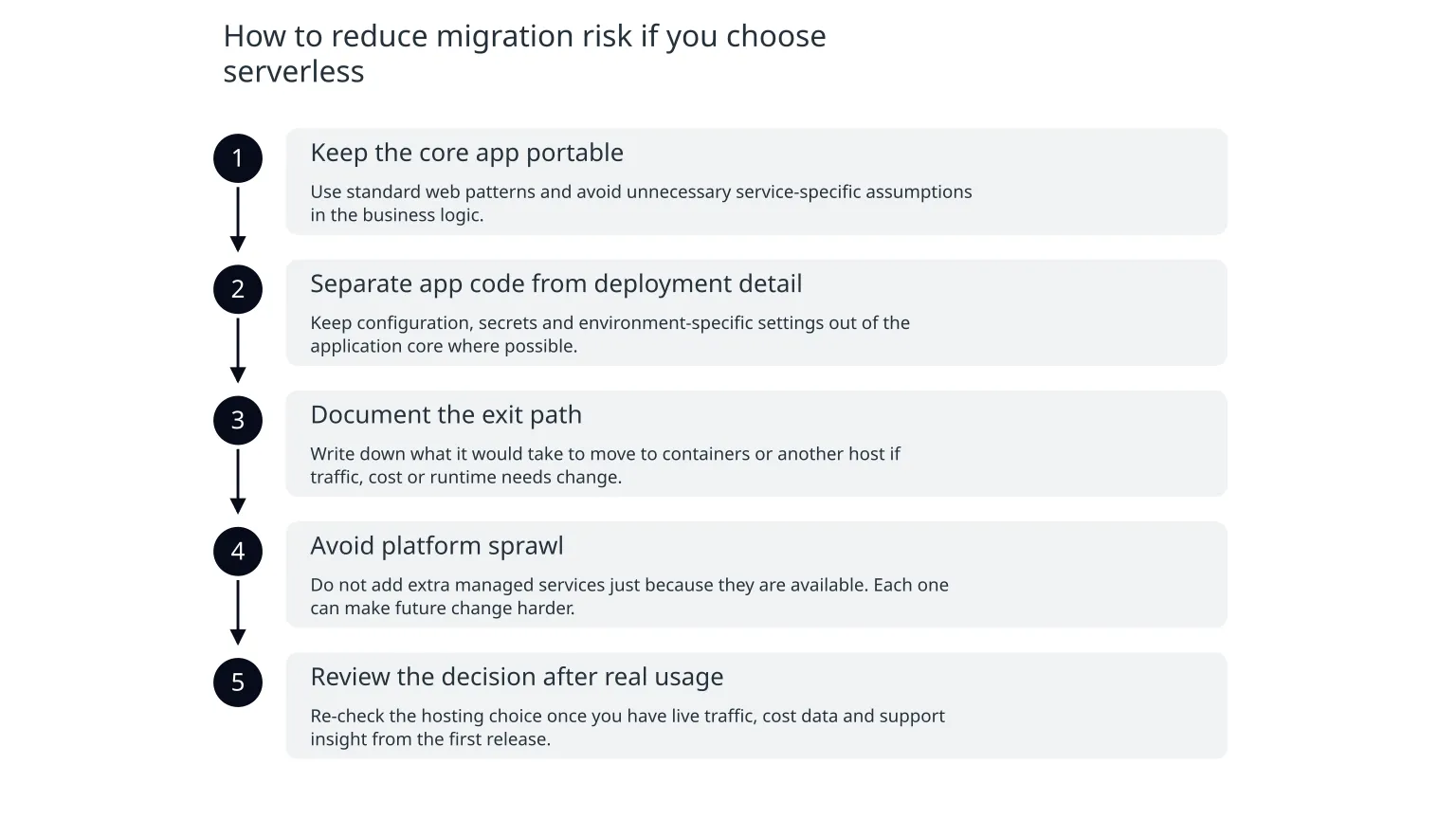
How to reduce migration risk if you choose serverless
- 1
Keep the core app portable
Use standard web patterns and avoid unnecessary service-specific assumptions in the business logic.
- 2
Separate app code from deployment detail
Keep configuration, secrets and environment-specific settings out of the application core where possible.
- 3
Document the exit path
Write down what it would take to move to containers or another host if traffic, cost or runtime needs change.
- 4
Avoid platform sprawl
Do not add extra managed services just because they are available. Each one can make future change harder.
- 5
Review the decision after real usage
Re-check the hosting choice once you have live traffic, cost data and support insight from the first release.
A serverless choice is safest when it is made with an exit plan. That does not mean you expect failure. It means you accept that a startup’s first architecture is often a learning tool, not the final form of the product.
A simple decision framework for founders and product teams
0 of 6 complete
If most answers point toward simplicity, variable usage and a Node.js web app, Lambda Web Functions deserve serious consideration. If most answers point toward portability, runtime flexibility or deeper operational control, containers are probably the better baseline.
What to do next
- Start with the workload, not the trend.
- Choose the simplest host that still fits your runtime and ownership needs.
- Treat cost, latency and migration risk as part of one decision, not separate afterthoughts.
- Document the exit path before launch so the architecture stays adaptable.
- Revisit the choice after real usage, not just from the first plan.
If you are building a new web app, the best host is usually the one that removes the most friction without creating hidden problems later. Lambda Web Functions may be a very good fit for some startups. For others, containers will remain the more sensible choice. The right answer comes from the product, the team and the next six months of change, not from the label on the infrastructure.

About the author
Nixim Team, Product Engineering
Practical guidance from Nixim on building software, working with AI and running dependable cloud systems.