
When AWS managed Hive-to-Iceberg migration is enough — and when you still need a custom cutover plan
A practical guide for teams deciding whether Amazon S3 Tables’ managed Hive-to-Iceberg migration removes enough operational work to avoid building their own migration path. It explains where the managed option helps, where it stops, and why cutover, rollback and ownership still matter.

On this page
The short answerWhat it replacesWhere it stopsDecision treeComparisonSafeguardsWhen to call in helpIn short
- Managed migration reduces build work, but not migration ownership.
- The main decision is continuity: can you pause less, test enough and roll back safely?
- If your tables fit the launch scope, AWS removes several mechanical steps.
- If you need more control, a custom cutover plan still has value.
- Treat the managed path as a tool, not a complete migration strategy.
AWS’s managed Hive-to-Iceberg migration in Amazon S3 Tables is useful, but it does not remove the need to think about continuity, ownership and recovery. If your team already runs data products on Hive tables in S3, the real question is not simply “can AWS do the migration?” It is “does the managed path cover enough of the operational burden for our workload, our risk tolerance and our recovery needs?”
That matters because most migration pain is not in the format change itself. It is in validation, compatibility, cutover timing, rollback readiness and what happens after the destination table is live. AWS says the managed path can handle several of those jobs for you, but only within a defined launch scope and only if your tables fit the supported pattern.
The managed path helps — but it does not erase migration work
AWS’s new managed migration is best understood as a way to reduce the amount of pipeline engineering you need to do. According to AWS, it can validate tables, check compatibility, handle type conversions, recompress files and compact data during the migration workflow. It also lets you sync changes repeatedly before you complete the move, which reduces the pressure to freeze production for long periods.
That is valuable, especially for teams that do not want to build a one-off migration service just to cross from Hive to Iceberg. But the feature is not a general “press button, forget about it” answer. It is launch-scoped to AWS Glue-registered Hive tables stored in Parquet, in the same AWS account and Region, and only in the regions AWS listed at launch.
Where managed migration saves effort
- Building and maintaining a custom migration pipeline.
- Provisioning separate compute just to perform the move.
- Writing bespoke checks for some compatibility and conversion work.
- Hand-coding recompression and compaction steps for every table.
- Coordinating a long manual freeze window if repeated sync is not available.
For a small team, those jobs are often the hidden cost of a migration. The storage format change may be conceptually simple, but the surrounding work can take more time than expected. If AWS can take over those repetitive steps, your team can spend more energy on business-specific decisions: what to validate, when to cut over, and who signs off.
Why continuity still needs a plan
The main risk in any migration is not only the data format. It is operational continuity. Even if AWS handles the mechanical parts, you still need to know what happens if a consumer query fails, a downstream job reads stale assumptions, or the destination table is not behaving as expected on day one.
AWS documentation still treats table migration as something that can be planned in different ways depending on your constraints, which is a useful reminder that managed services do not make strategy unnecessary. If the managed path does not fit your account structure, Region, table format or operational model, you are back to choosing how much control you want to keep and how much risk you can tolerate.
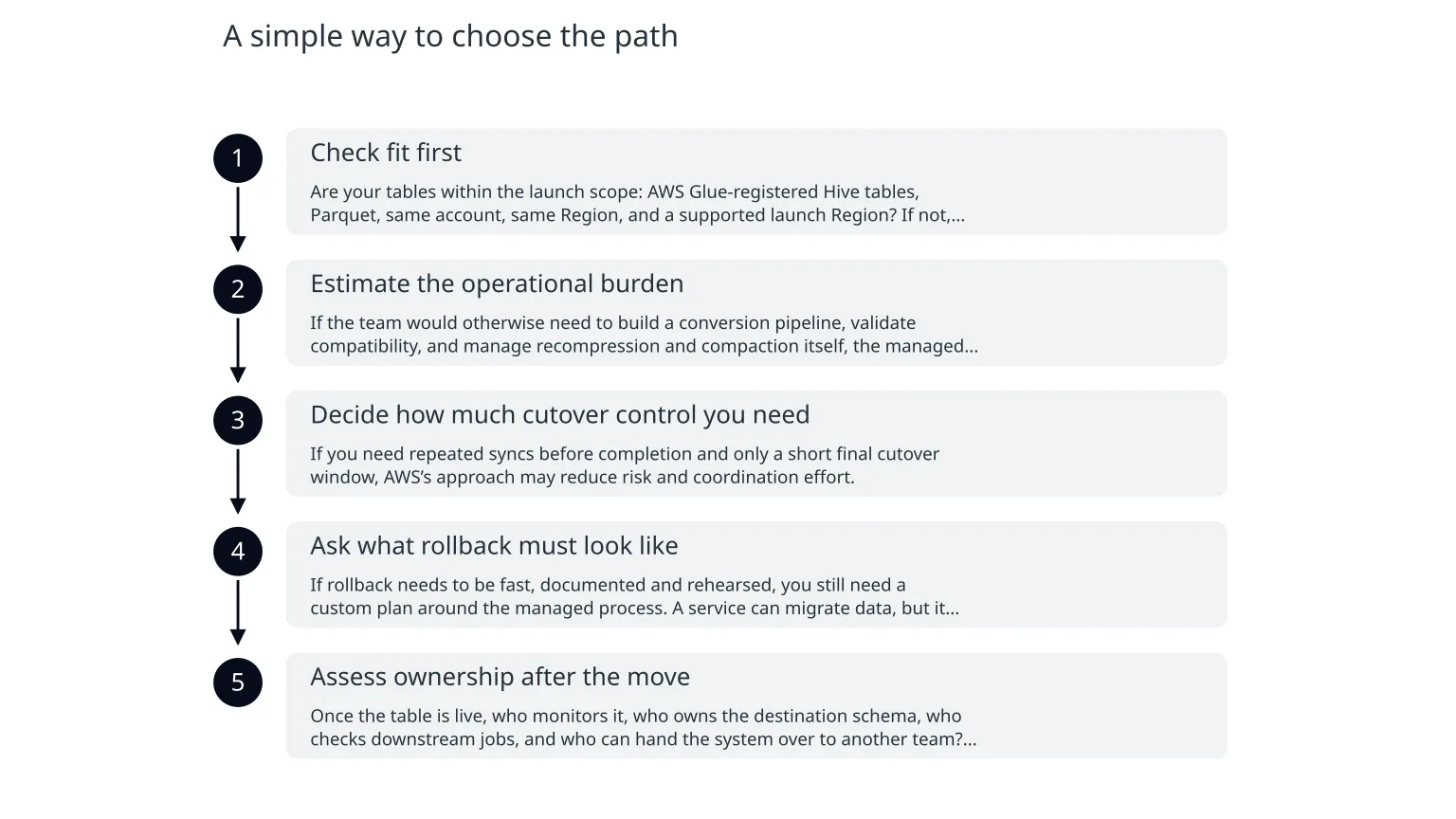
A simple way to choose the path
- 1
Check fit first
Are your tables within the launch scope: AWS Glue-registered Hive tables, Parquet, same account, same Region, and a supported launch Region? If not, managed migration is not the right starting point.
- 2
Estimate the operational burden
If the team would otherwise need to build a conversion pipeline, validate compatibility, and manage recompression and compaction itself, the managed path is attractive.
- 3
Decide how much cutover control you need
If you need repeated syncs before completion and only a short final cutover window, AWS’s approach may reduce risk and coordination effort.
- 4
Ask what rollback must look like
If rollback needs to be fast, documented and rehearsed, you still need a custom plan around the managed process. A service can migrate data, but it cannot decide when to stop or reverse on your behalf.
- 5
Assess ownership after the move
Once the table is live, who monitors it, who owns the destination schema, who checks downstream jobs, and who can hand the system over to another team? Operational ownership does not disappear after migration day.
Managed migration vs custom cutover plan
Managed AWS migration
Best when you want to reduce build effort, fit the supported launch scope, and keep the mechanical parts of migration off your team’s backlog.
Custom cutover and rollback plan
Best when your tables or operating model fall outside the supported scope, or when you need tighter control over timing, recovery and handover.
What a sensible migration plan should still include
0 of 7 complete
This is where many teams underinvest. They focus on whether the migration tool works, but not on whether the business can operate safely the day after the tool finishes. That gap is where continuity issues usually show up.
When specialist support is useful
If your migration touches production analytics, customer-facing reporting or data products with strict uptime expectations, it can be worth bringing in help for the cutover design rather than only for the implementation. The useful question is not “Can someone move the tables?” but “Can someone help us keep control of the system while the move happens?”
That support is often most valuable when the team needs a clear plan for ownership, validation, observability and rollback rather than another generic migration checklist. For organisations that want help designing the migration path, confirming the cutover steps and preserving operational continuity, that is exactly the kind of cloud work a specialist team can scope and deliver.
If you are reviewing a Hive-to-Iceberg move now, start with fit, then continuity, then ownership. The managed path may be enough for some teams, but the right answer still depends on how much of the migration burden you want AWS to carry — and how much your team still needs to own.

About the author
Nixim Team, Product Engineering
Practical guidance from Nixim on building software, working with AI and running dependable cloud systems.