
Before OpenAI evals go read-only: how to preserve your testing workflow
A practical guide for teams that rely on OpenAI evals to compare prompts, check model behaviour and catch regressions. It explains what the deprecation means, what to inventory now, and how to preserve coverage when you move to a different evaluation setup.

On this page
Why it mattersWhat to mapWhat to recreateWhat can breakHow to migrateSafeguardsWhen to get helpNext stepsIn short
- Inventory every eval, prompt set and scoring rule before the platform freezes.
- Separate portable test content from platform-specific workflow features.
- Recreate your most important comparisons first, not the whole dashboard at once.
- Keep a human review path for uncertain or high-impact outputs.
- Record what good output means so the new setup does not drift over time.
If your team uses OpenAI evals as part of its release process, the main risk is not just losing a tool. It is losing the habits, test cases, comparison logic and decision rules that sit around it. OpenAI says the Evals platform is being deprecated, existing evals become read-only on 31 October 2026, and the dashboard and API are scheduled to shut down on 30 November 2026.
That gives teams a short window to treat evals as an operational dependency, not a nice-to-have. The practical question is simple: what are you testing today, what must be recreated elsewhere, and what evidence do you need before you switch tools?
Why this change deserves operational attention
A platform shutdown is disruptive when your team has made it part of the release rhythm. Eval runs often contain more than a test result: they carry prompt variants, grading rules, baseline outputs, failure thresholds and the team’s shared memory of what “good” looks like. If those pieces are not documented, migration becomes guesswork rather than a controlled change.
OpenAI’s documentation points teams toward Datasets for new evaluation workflows and refers developers to a migration path via Promptfoo. That tells you something important: the underlying practice of evaluation still matters, but the hosted workflow is changing. The goal is not to preserve the old interface exactly. It is to preserve coverage, comparability and decision-making.
Start by mapping what you actually rely on
0 of 5 complete
This step sounds administrative, but it is where migration risk becomes visible. A team may believe it has “one eval”, when in practice it has a mixture of reusable test cases, informal manual checks and approval habits. Those are different assets. They do not all move in the same way.
Recreate the critical path before the nice-to-have parts
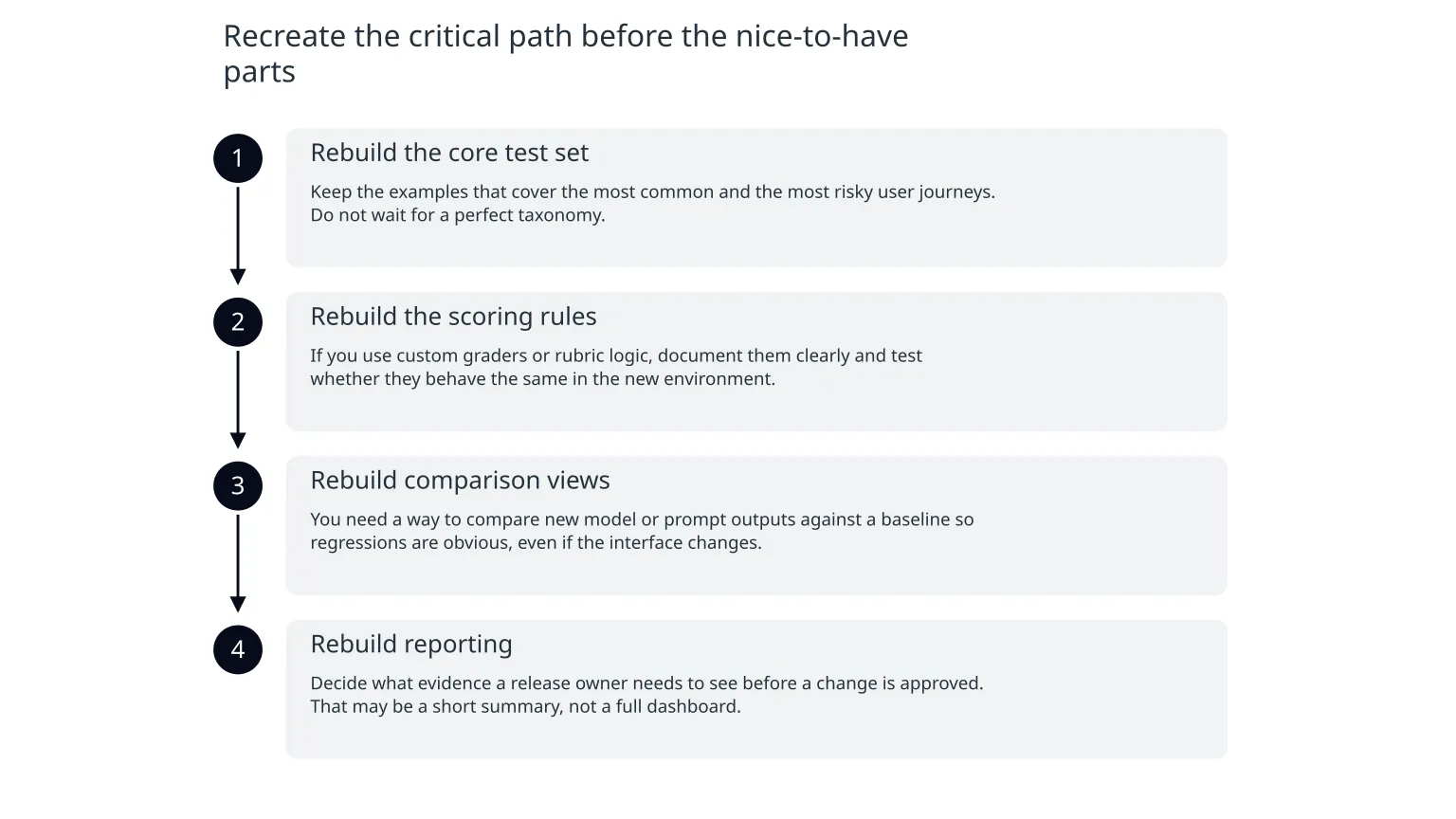
When teams migrate tools, they often try to rebuild the whole old workflow. That can waste time. A better approach is to recreate the smallest set of checks that protect production decisions first.
- 1
Rebuild the core test set
Keep the examples that cover the most common and the most risky user journeys. Do not wait for a perfect taxonomy.
- 2
Rebuild the scoring rules
If you use custom graders or rubric logic, document them clearly and test whether they behave the same in the new environment.
- 3
Rebuild comparison views
You need a way to compare new model or prompt outputs against a baseline so regressions are obvious, even if the interface changes.
- 4
Rebuild reporting
Decide what evidence a release owner needs to see before a change is approved. That may be a short summary, not a full dashboard.
Where migration usually goes wrong
What teams assume
The old eval can be copied into a new platform with little effort.
What usually happens
The test content is portable, but the surrounding logic, labels, thresholds and review habits need careful recreation.
The biggest danger is silent drift. A migration can look complete if the new tool runs the same examples, but still produce different decisions because the scoring rules changed slightly, the baseline is missing, or reviewers no longer see the same failure patterns.
Another risk is over-automating the new setup too soon. OpenAI’s broader model-optimisation guidance treats evals as part of the process for measuring and tuning model performance during model changes. That is useful, but it does not mean every decision should be left to automated scoring alone. For user-facing or consequential actions, a human review step still matters.
A practical migration sequence
0 of 6 complete
This staged approach helps because it separates continuity from improvement. You do not need the new workflow to be identical on day one. You need it to be trustworthy enough for the decisions you already make. If the new setup is better organised, that is a bonus, not the starting requirement.
What good safeguards look like during the switch
Version the test set
Keep dated copies of prompts, expected outputs and rubrics so changes are traceable.Separate risk levels
Treat low-risk text improvement differently from actions that affect customers, money or access.Keep a human gate
Use manual review where the model’s output is uncertain, consequential or hard to score reliably.Log disagreements
Record where the model, grader and reviewer disagree so you can refine the rules.Limit scope changes
Avoid changing the product, the prompt and the eval method all at once.When specialist help is useful
You do not need outside help for every migration. But it can be useful when your evals are tied to a production assistant, a customer-facing workflow or a release process that other teams depend on. In those cases, the real task is not only moving tooling. It is preserving operational control.
Support is often valuable when you need to recreate evaluation coverage in a different environment, decide which checks should stay human-reviewed, or turn a set of informal prompts and comments into a proper testing workflow. For teams that also need the surrounding product, cloud or integration work rebuilt, this is usually part of a wider delivery change rather than a standalone script swap.
The right outcome is simple: a testing setup that still tells you whether the model is behaving acceptably, even after the platform underneath it has changed.
A short checklist for the next week
- Catalogue every eval and label the business decision it supports.
- Extract the portable parts: cases, rubrics, baselines and reviewer notes.
- Identify the platform-specific parts: storage, comparison views, reporting and automation.
- Migrate one critical workflow first and compare it against the old setup.
- Keep human review for high-impact or ambiguous cases.
If you act now, the migration is mainly a question of discipline. If you leave it late, the same change becomes a rescue job. The difference is whether your evaluation workflow is something you own, or something the platform owns for you.

About the author
Nixim Team, Product Engineering
Practical guidance from Nixim on building software, working with AI and running dependable cloud systems.