
Which checkout friction points are costing you sales on mobile, and what should you fix first?
A practical guide to reducing checkout and form friction on mobile, starting with the changes most likely to improve completion: guest checkout, fewer fields, clearer errors and less distraction.

On this page
Start hereFix firstFormsMistakesMeasureSafeguardsNext stepsWrap-upIn short
- Start with the step users see first: guest checkout or a low-friction form entry point.
- Cut fields only if you are asking for information you truly need now.
- Show clear errors in place, not after submission.
- Make it easy to continue after a mistake, especially on mobile.
- Measure the funnel before and after each change so you know what helped.
If a business is losing orders or leads at the final step, buying more traffic is usually the wrong first move. The stronger growth question is: what is making people stop now?
On mobile, small barriers add up quickly. A checkout or lead form that feels easy on desktop can be tiring on a phone. Research from Baymard and Google’s web.dev guidance points to the same first fixes: make guest checkout easy to find, remove unnecessary form work, validate as users type, and help people recover from mistakes without starting again.
This is not a promise that every change will lift conversion. It is a way to reduce avoidable friction before you spend more on acquisition.
Treat checkout as a friction problem, not just a traffic problem
When a checkout loses people near the end, the instinct is often to look for more visitors. But if the traffic is already arriving and some of it is leaving at the last step, the first growth opportunity is often simpler: reduce the work required to finish.
That matters even more on mobile, where typing is slower, screens are smaller and interruptions are common. A few extra taps, an unclear field label or a vague error can be enough to stop a purchase or enquiry.
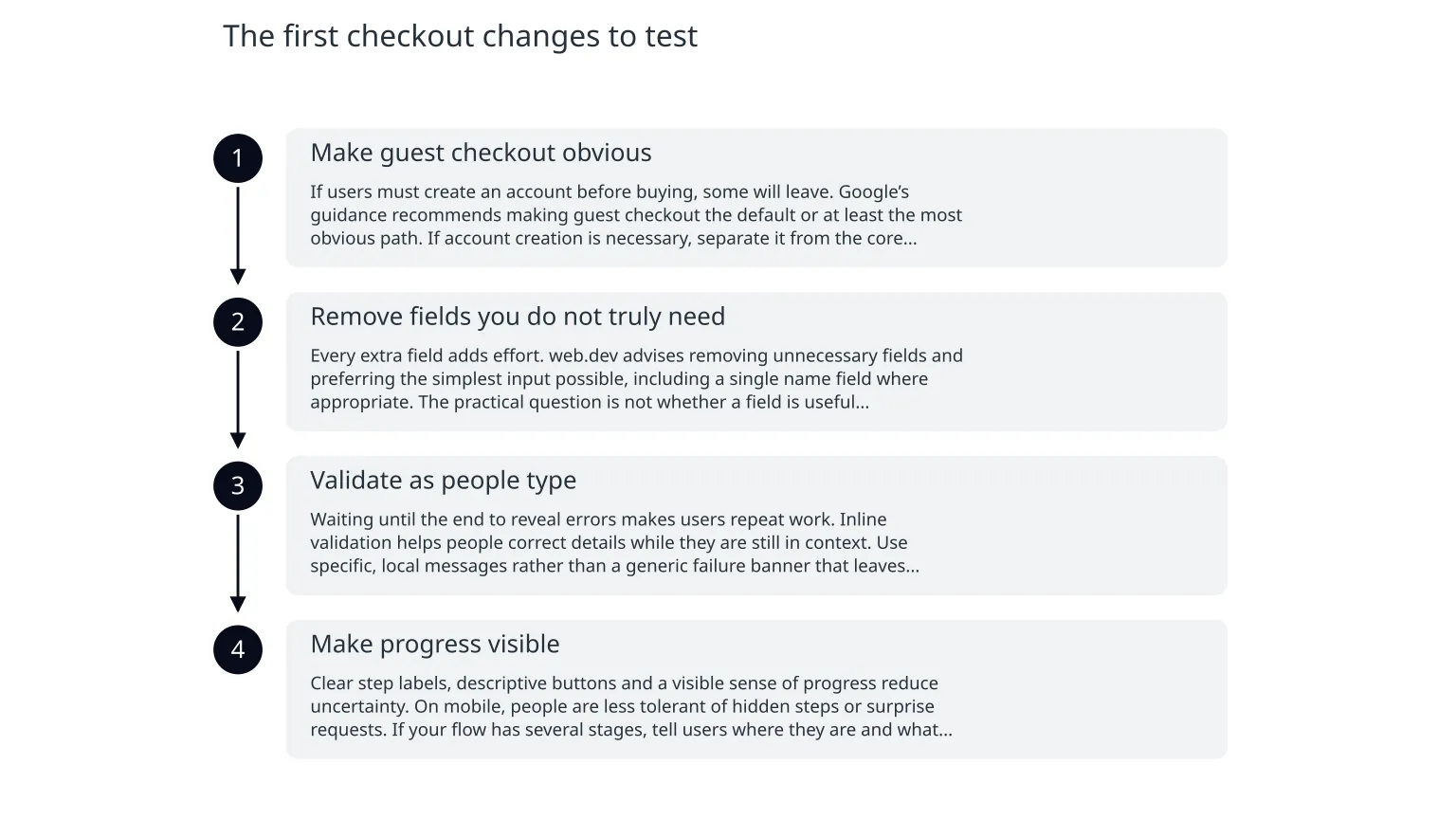
The first checkout changes to test
- 1
Make guest checkout obvious
If users must create an account before buying, some will leave. Google’s guidance recommends making guest checkout the default or at least the most obvious path. If account creation is necessary, separate it from the core purchase step and explain why it helps the buyer.
- 2
Remove fields you do not truly need
Every extra field adds effort. web.dev advises removing unnecessary fields and preferring the simplest input possible, including a single name field where appropriate. The practical question is not whether a field is useful internally, but whether it is needed before the order or lead can be completed.
- 3
Validate as people type
Waiting until the end to reveal errors makes users repeat work. Inline validation helps people correct details while they are still in context. Use specific, local messages rather than a generic failure banner that leaves users guessing.
- 4
Make progress visible
Clear step labels, descriptive buttons and a visible sense of progress reduce uncertainty. On mobile, people are less tolerant of hidden steps or surprise requests. If your flow has several stages, tell users where they are and what happens next.
Baymard’s optimisation research also shows the average checkout contains 19.9 form elements, while an optimised flow can be as short as 12. That does not mean every business should copy a fixed number. It does mean that visible complexity is worth challenging.
What to simplify in forms before you redesign the whole journey
Common friction
Too many required fields, repeated information, unclear labels, hidden costs, password demands before purchase, and errors shown only after submission.
Useful simplification
Ask only for the information needed now, autofill where possible, explain why a field is required, reduce repeated typing, and preserve the user’s progress if something goes wrong.
For lead forms as well as checkouts, the same rule applies: every question should earn its place. If you are asking for a phone number, company size or budget range, be clear about what happens next. If the next step is a human call, say so. If the next step is a confirmation email, say that instead.
Illustrative example: if a mobile enquiry form asks for name, email, phone, company, role and message, try testing a shorter version with only name, email and message first. Then collect the extra details later, after the user has already converted.
How bad error handling quietly breaks conversion
Error handling is often the hidden conversion problem. When a user submits a form and gets a vague message such as “something went wrong”, they have to guess what to fix. If the form clears on failure, the user may lose motivation as well as data.
Baymard highlights vague error messaging and required-field confusion as common causes of abandonment. That does not mean every error needs a long explanation. It means the message should be specific, visible and tied to the field that needs attention.
- Use plain language: say what is wrong and how to fix it.
- Keep the user's inputs in place after an error.
- Highlight the exact field rather than only showing a page-level warning.
- Check that validation works on mobile keyboards, not just desktop browsers.
- Avoid making users discover an error only after they press the final button.
What to measure before and after changes
| Stage | What to watch | Why it helps |
|---|---|---|
| Landing to form start | People who begin checkout or form completion | Shows whether the offer and entry point are clear |
| Form start to field completion | Where users pause, correct, or abandon | Reveals which fields create avoidable effort |
| Error display to recovery | Whether users can fix and continue | Shows whether the form helps recovery or causes drop-off |
| Final submission | Completed orders or leads | Confirms whether the change improved the outcome you care about |
Where teams misuse checkout advice
Useful use of the advice
Reduce unnecessary steps, improve clarity, and test small changes one at a time so you can see what helps.
Misuse to avoid
Removing important checks, hiding essential information, or simplifying so aggressively that support, fraud prevention or fulfilment suffers.
There is also a trade-off between speed and control. Some businesses need more information for fraud checks, delivery, invoicing or sales follow-up. The goal is not to remove every barrier. It is to remove the barriers that do not repay the effort they ask of the user.
If the checkout supports a higher-risk order, a subscription change, or a lead that must route to sales, you may need a more careful flow. In those cases, the right fix may be clearer explanations, better sequencing or smarter validation rather than a shorter form at any cost.
A practical sequence for the next two weeks
0 of 7 complete
If you want a quick rule of thumb, start where effort is highest and trust is lowest. That is usually the signup wall, the first form screen, the payment or submission step, or any point where the site forces users to guess what will happen next.
For businesses that need a broader rebuild, a custom web or mobile app team can help map the flow, simplify the interface and keep the technical changes tied to the conversion goal rather than to aesthetics alone. The most useful starting point is still the same: one measurable problem, one flow, one clear test.
The best first fix is often the simplest one
- Make the easiest path obvious, especially guest checkout.
- Remove fields that do not need to be collected now.
- Validate early and show specific errors where users can act on them.
- Measure each stage of the funnel so you know what changed.
- Simplify carefully: fewer barriers should not create new business risks.
The strongest checkout improvements are usually not dramatic redesigns. They are small, evidence-led fixes that respect how people actually complete forms on a phone. If your checkout or lead form is losing people at the end, the first question is not what new traffic to buy. It is what friction to remove first.

About the author
Nixim Team, Product Engineering
Practical guidance from Nixim on building software, working with AI and running dependable cloud systems.