
The first security controls a small team should put in place
A practical priority order for small teams: secure important accounts first, then patch exposed systems, then make backups genuinely restorable, and finally prepare a simple incident response plan.

On this page
Start hereNextBackupsPrepareAvoidNext stepIn short
- Put account protection before tool sprawl.
- Use passkeys where possible; otherwise use strong unique passwords and 2-step verification.
- Treat backups as only useful if you can restore them.
- Make incident response part of the first wave, not a later project.
For a small team, security work can feel endless. There are passwords, devices, updates, backups, alerts and policies, and it is easy to buy tools before deciding what actually reduces risk.
The simplest answer is to start with the controls that block the most common everyday failure modes: stolen credentials, exposed systems, data loss and slow recovery. That means protecting important accounts first, then patching, then making backups real enough to restore from, and then preparing for an incident rather than hoping one never happens. NCSC guidance for small organisations points in the same direction.
Start with account security, not extra software
If you only improve one area first, make it account security. Stolen credentials are one of the easiest ways into a business because they often bypass technical controls that are otherwise working fine. NCSC guidance for small organisations says business-critical accounts should use passkeys where available, because they are more resistant to phishing than passwords or standard 2-step verification.
If passkeys are not available, the next best option is a strong unique password for each important account, plus 2-step verification. That may sound basic, but it is usually more effective than adding a new monitoring tool before the basics are in place.
Patch the systems that are most exposed
After accounts, look at patching. Unpatched software is still a common route into systems because attackers often target known weaknesses that have already been fixed by the vendor. NCSC guidance places patching among the core controls for reducing exposure to attack.
For small teams, the mistake is not that patching is ignored completely. It is that patching is done ad hoc, during a busy day, without a clear owner or testing approach. That can create either delay or avoidable disruption.
What good patching looks like
You know which systems matter most, who approves updates, and what gets patched first when risk changes.
What poor patching looks like
Updates happen when someone remembers, and important servers or apps stay on old versions because no one owns the job.
If threat levels rise, NCSC says organisations may need to accelerate patching even if that causes some service impact. That does not mean patch everything instantly. It means decide in advance which systems can be updated quickly, which need testing, and who can approve a faster change when needed.
Make backups something you can actually restore
Backups are often discussed as if they are a single action. They are not. A backup only protects you if it is separate enough from the main environment and if you know how to restore it. NCSC guidance says organisations should not rely only on built-in cloud retention or version history as their whole backup plan.
That matters because ransomware and account compromise can damage more than the live system. They can also target connected storage, synced folders and backup locations. NCSC’s ransomware-resistant backup guidance recommends independent copies, separate locations or services, and tested restores.
| Control | What it does | Common mistake |
|---|---|---|
| Export essential data | Creates a copy outside the main app | Assuming cloud sync is the same as backup |
| Separate backup location | Reduces the chance one compromise removes everything | Keeping backups in the same admin account |
| Test restore | Shows whether recovery really works | Only checking that a backup job completed |
| Keep more than one copy | Protects against corruption or delayed detection | Having a single backup that is overwritten every day |
Illustrative example: a small team using a cloud file suite might think version history is enough. It helps, but it is not the same as an independent restore path. If a malicious change is synced everywhere, or if the account holding the files is compromised, restore options may be limited unless there is a separate copy.
Add incident readiness before you need it
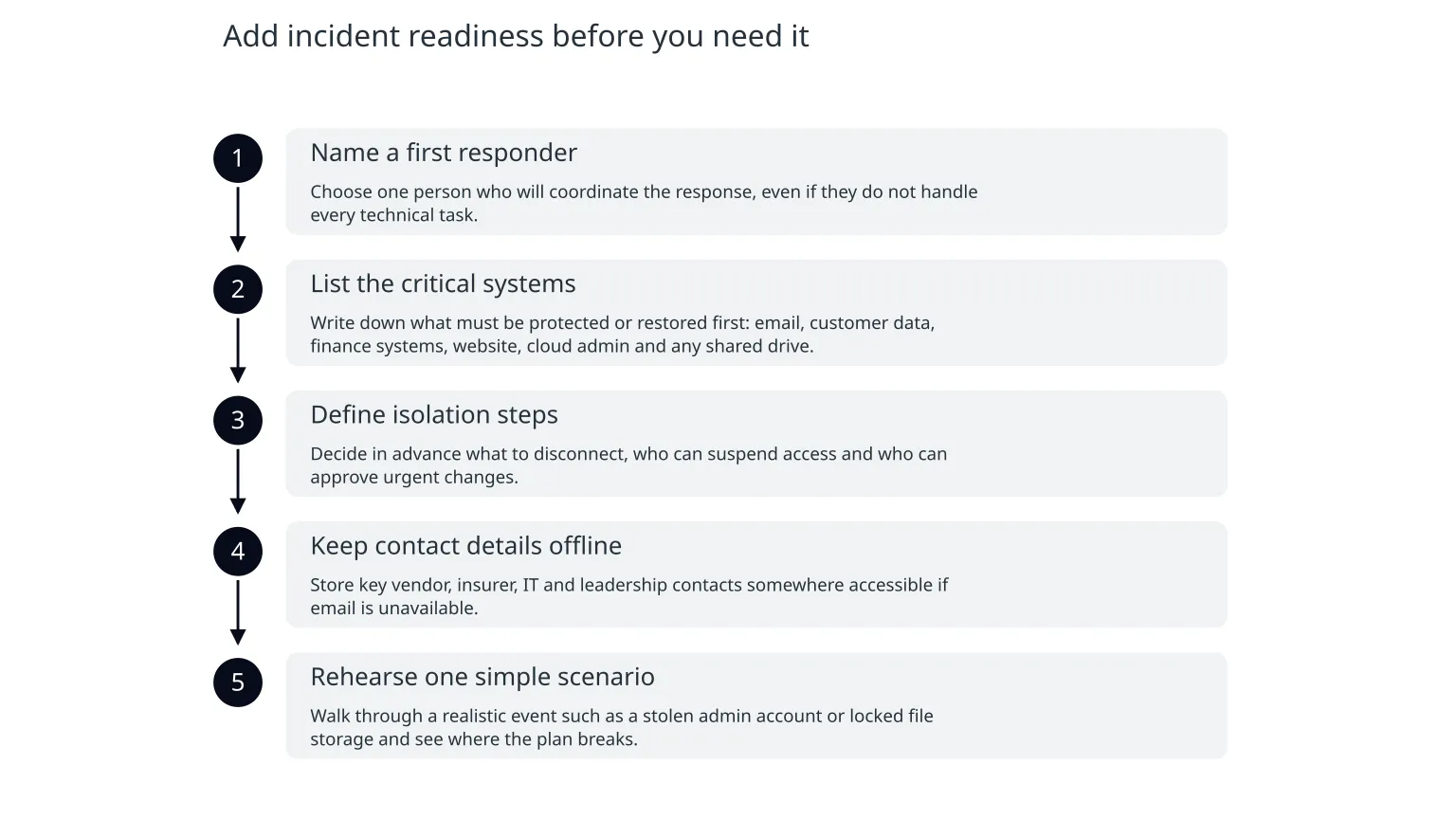
Once accounts, patching and backups are in place, the next step is incident readiness. That means deciding what happens when something goes wrong: who is contacted, what gets isolated, what gets restored first and how decisions are made. NCSC has separate small-business guidance for response and recovery, which is a sign that incident planning is not an advanced extra. It is part of the basic control set.
- 1
Name a first responder
Choose one person who will coordinate the response, even if they do not handle every technical task.
- 2
List the critical systems
Write down what must be protected or restored first: email, customer data, finance systems, website, cloud admin and any shared drive.
- 3
Define isolation steps
Decide in advance what to disconnect, who can suspend access and who can approve urgent changes.
- 4
Keep contact details offline
Store key vendor, insurer, IT and leadership contacts somewhere accessible if email is unavailable.
- 5
Rehearse one simple scenario
Walk through a realistic event such as a stolen admin account or locked file storage and see where the plan breaks.
What not to do first
- Do not buy a stack of security tools before fixing the main account and recovery gaps.
- Do not assume one control solves everything; passwords, patching and backups address different risks.
- Do not let backup jobs run unchecked without restore tests.
- Do not treat incident response as a policy document no one has read.
- Do not make every app equally urgent; start with the systems that would hurt most if compromised.
- Protect the accounts that would cause the most damage if compromised.
- Patch the most exposed systems on a schedule you can defend.
- Use backups that are separate, testable and actually restorable.
- Have a simple response plan before the first incident, not after it.
A sensible first pass for a small team
0 of 6 complete
If this still feels like a lot, that is normal. Security is easier to manage when it is reduced to a few decisions in the right order. For many small teams, the main value is not a larger checklist. It is choosing the first four controls that lower risk fastest and keeping the plan simple enough to maintain.

About the author
Nixim Team, Product Engineering
Practical guidance from Nixim on building software, working with AI and running dependable cloud systems.