
Fresh dashboards, cautious decisions: what should sit upstream before you trust the numbers?
A practical guide for founders, operations teams and analysts on when fresh-looking dashboard numbers still need caution, and which completeness, uniqueness and rule-based checks should happen before people act on them.

On this page
Why freshness is not enoughWhat to check firstHow rules workChoosing signalsChecklistIllustrative exampleNext stepsIn short
- Fresh data is not the same as reliable data.
- Decide which checks matter first for the decision you are making.
- Put validation upstream, before the dashboard, not just in the report layer.
- Use thresholds so teams know when data is good enough to act.
- If a rule fails, define whether to warn, hold back or stop the data flow.
A dashboard can look current and still be misleading. Recency is useful, but it is only one part of trust. If records are missing, duplicated, late or failing basic rules, a very fresh chart can still push a team toward the wrong decision. The safer approach is to decide what must be true before the numbers are used, then enforce those checks upstream of the dashboard rather than hoping people will notice problems after the fact.
Why a current dashboard can still be wrong
Recency helps, but it does not prove fitness for use
When people ask for ‘live’ or ‘fresh’ data, they usually mean they want to avoid acting on stale information. That is a fair request. But freshness only tells you when data was last refreshed or made visible. It does not tell you whether the data is complete, unique, correctly structured or valid for the decision at hand. Microsoft’s Power BI guidance is clear that users can check the last refresh date for tiles and semantic models, but that is a recency check rather than a full quality check.
A fresh error is still an error
If a source feed drops 10% of transactions, a dashboard that refreshes every five minutes may simply show a wrong answer faster. The problem is not speed; it is confidence. For a small business, the real question is not ‘How fresh is this chart?’ but ‘What else has to be true before we let people act on it?’
Which data checks should come before the dashboard?
Start with the checks that could change the decision
Not every dashboard needs the same controls. A report used for weekly trend spotting can tolerate more lag than one used to trigger stock orders or customer callbacks. The first step is to identify the use case and decide which data problems would cause a bad action. Then put the most important checks upstream of the dashboard, where the bad records can be handled before they distort the report.
| Check | What it tells you | Why it matters |
|---|---|---|
| Freshness | When the data was last updated | Useful for recency, but not enough on its own |
| Completeness | Whether the expected records are present | Missing rows can make totals and rates look better or worse than they are |
| Uniqueness | Whether the same record appears more than once | Duplicates can inflate counts, revenue or workload |
| Validity | Whether values meet expected rules | Out-of-range or malformed values can break downstream logic |
| Consistency | Whether fields agree across sources | Conflicting versions can create mixed signals in the dashboard |
Thresholds make the rule practical
Microsoft describes a data quality threshold as the point where data is considered ‘good enough’ for the task. It gives a simple example: if 920 of 1,000 records are present, completeness is 92%. That passes a 90% threshold but fails a 95% threshold. This is useful because it turns a vague concern into a clear rule. You do not need perfect data for every use case, but you do need a defined standard for the one you are running.
How upstream validation protects the dashboard
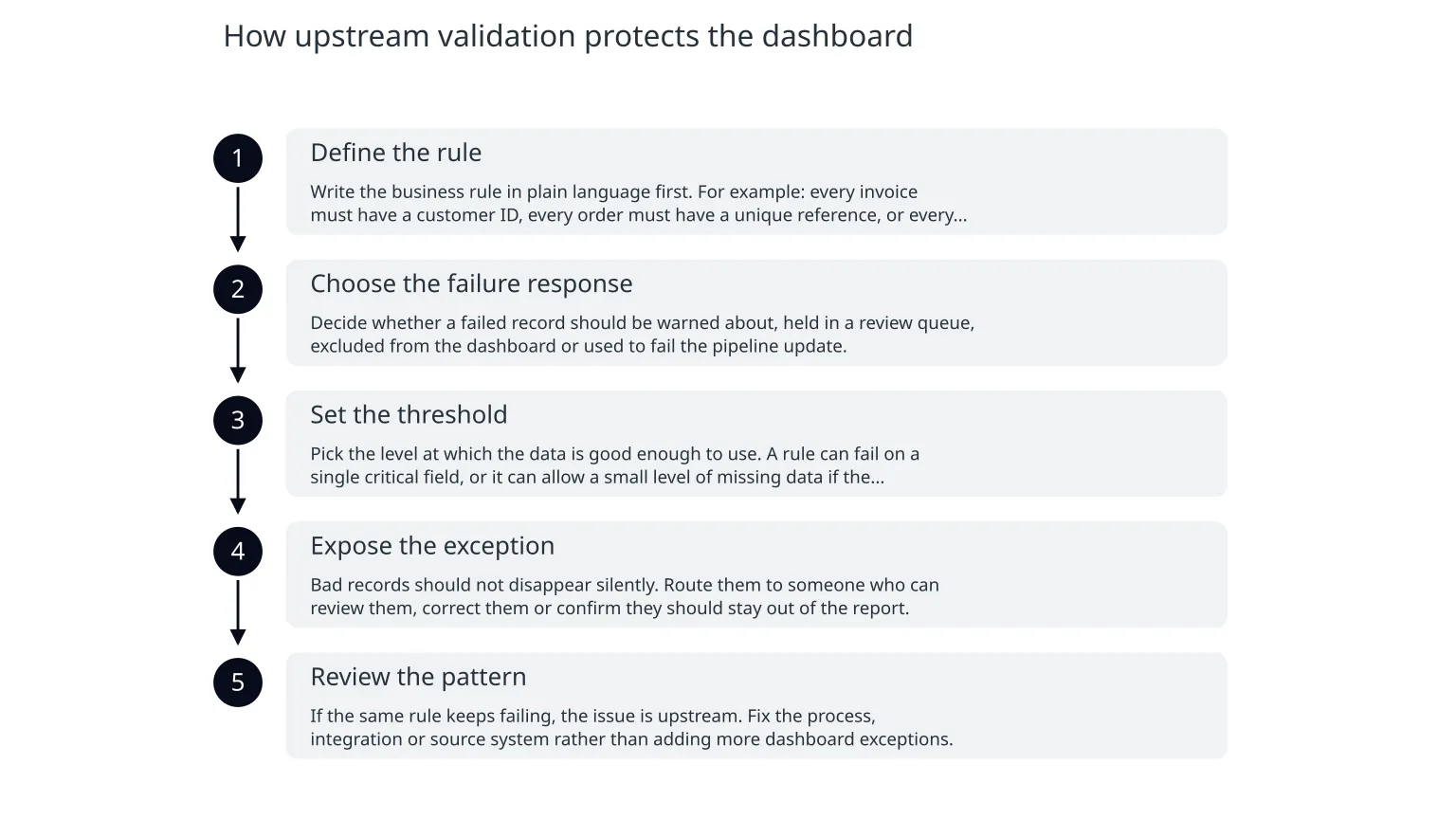
Rules belong in the pipeline, not just the report
Databricks describes pipeline expectations as checks that validate data as it moves through ETL pipelines. Depending on how they are configured, invalid records can trigger a warning, be dropped, or fail the update altogether. The practical point is simple: the closer the validation is to the source or transformation step, the less likely a broken record is to reach a dashboard and influence a decision.
- 1
Define the rule
Write the business rule in plain language first. For example: every invoice must have a customer ID, every order must have a unique reference, or every support ticket closed today must have a valid closure reason.
- 2
Choose the failure response
Decide whether a failed record should be warned about, held in a review queue, excluded from the dashboard or used to fail the pipeline update.
- 3
Set the threshold
Pick the level at which the data is good enough to use. A rule can fail on a single critical field, or it can allow a small level of missing data if the decision does not need perfect coverage.
- 4
Expose the exception
Bad records should not disappear silently. Route them to someone who can review them, correct them or confirm they should stay out of the report.
- 5
Review the pattern
If the same rule keeps failing, the issue is upstream. Fix the process, integration or source system rather than adding more dashboard exceptions.
How should a small business decide which signals matter first?
Use the decision, not the data, as the starting point
A small business often does not need a long list of quality metrics. It needs the few checks that protect the next action. If the dashboard drives customer support staffing, ticket volume and ticket age may matter more than perfect historical backfill. If it drives invoicing, completeness and uniqueness may matter more than minute-by-minute freshness. The key is to tie the rule to the decision, not to the abstract idea of ‘good data’.
When freshness should come first
Use freshness first when the decision is highly time-sensitive and a small delay changes the action, such as staffing a live queue or monitoring a current incident.
When completeness should come first
Use completeness first when missing rows would distort counts, ratios or totals, such as revenue, fulfilment, support workload or invoice approval.
When uniqueness should come first
Use uniqueness first when duplicate records would inflate business-critical numbers, such as orders, customers, tickets or payments.
When rule checks should come first
Use rule-based validation first when the data contains fields that must follow a format or fall within limits, such as dates, status codes or numeric ranges.
- If the dashboard supports a same-day decision, set a freshness expectation as well as a quality rule.
- If totals drive money movement, prioritise completeness and uniqueness before any visual polish.
- If the data is used for exceptions, make sure failed records are visible somewhere outside the dashboard.
- If a number is only for trend watching, controlled staleness may be acceptable if the quality checks are stronger.
- If the team cannot explain what happens when a rule fails, the rule is not finished yet.
Dashboard trust checklist before anyone acts
0 of 10 complete
What this looks like in practice
Illustrative example only
Imagine a small e-commerce team using a daily dashboard to decide whether support and fulfilment need extra capacity. The chart refreshes every hour, so it looks current. But one integration sometimes delays orders from one sales channel, and duplicate customer records occasionally slip through when refunds are processed. The dashboard is fresh, yet the totals are wrong.
A safer response
The team could define three upstream checks: every order must have a unique order ID, all active sales channels must have at least 98% of expected records by the refresh cut-off, and any order missing a channel reference should be placed in an exception queue rather than counted. If one check fails, the dashboard can show a warning and the team can decide whether to act, wait or review the exception list. That is better than assuming the latest number is automatically the right number.
What this avoids
This kind of control does not make mistakes impossible, but it does stop the most common ones from becoming decisions. It also creates a clearer conversation between the business and the people maintaining the data flow, because everyone can see which rule failed and why.
What to do next if your dashboard is already live
Start small and add the controls that protect one decision
If you already have dashboards in use, do not try to redesign everything at once. Pick one report that matters and work backwards from the action it supports. Write down the key checks, set a threshold, and define the exception path. Then review whether the check catches real problems or just creates noise.
Good first move
Choose one dashboard with a clear business action behind it and document the checks that must pass before the number is used.
Good second move
Add a simple review cadence so someone owns the rules, watches failures and changes the threshold only when the evidence supports it.
Quiet closing thought
Freshness is worth having, but it is not a free pass. Before you trust a dashboard, ask whether the data is complete, unique and valid enough for the decision in front of you. If the answer is unclear, put the checks upstream first, then let the dashboard do what it is meant to do: show a reliable view of reality, not just a recent one.

About the author
Nixim Team, Product Engineering
Practical guidance from Nixim on building software, working with AI and running dependable cloud systems.