
How should a small business roll out passkeys without locking users out?
A practical rollout checklist for small businesses that want stronger sign-in without creating account lockouts, confusion or support overhead. It prioritises the right accounts first, keeps recovery in place, and explains how to introduce passkeys alongside existing access methods.

On this page
StartPrepareFallbacksStaffPilotReviewNextIn short
- Start with the most sensitive business accounts, not every login at once.
- Set up recovery and backup access before users change sign-in methods.
- Keep a fallback where passkeys are not supported or not yet adopted.
- Train staff on device ownership, recovery steps and when to ask for help.
- Review the rollout after the first group has switched to catch gaps early.
Passkeys are a better sign-in method for many accounts because they are designed to resist phishing and can be simpler to use than passwords and one-time codes. But they are not a one-click replacement for every login. For a small business, the real challenge is rollout: which accounts should move first, what happens if someone loses a device, and how do you avoid turning security into a helpdesk problem?
The safest approach is phased. Start with the accounts that would cause the most damage if taken over, make sure recovery is ready before anyone switches, and keep a fallback for services that do not yet support passkeys. That gives you better protection without breaking access for the rest of the team.
1) Decide which accounts move first
Prioritise the accounts that matter most
The National Cyber Security Centre recommends starting with important business accounts. That usually means the logins that could expose customer data, money, admin controls, email, cloud platforms or shared workspaces. If one of those accounts is compromised, the impact is usually wider than a routine staff login.
- Owner and director email accounts
- Admin accounts for cloud, finance or customer systems
- Shared tools that can approve payments or reset passwords
- Any account that can expose company data or impersonate the business
2) Put recovery in place before rollout
Recovery should come before the switch
Microsoft’s recovery guidance is clear that account recovery should be configured before rollout because it is meant for the situation where a user has lost all authentication methods, including passkeys. That matters because the main failure mode is not weak passkey security. It is lockout.
0 of 5 complete
3) Keep a fallback for the accounts that need it
Not every service will be ready at the same time
NCSC guidance says that where a service does not support passkeys, it should still use a strong unique password plus 2-step verification. That is a useful reminder that passkeys are an improvement, not a universal assumption.
Passkey-supported account
Use the passkey as the main sign-in method, but keep recovery methods and admin controls available.
Passkey not available yet
Keep a strong unique password and 2-step verification in place until the service supports a safer option.
Avoid removing the old method too early
For some teams, the safest path is to run both methods in parallel for a short period. That gives staff time to adopt the new flow and gives you time to confirm that recovery, device changes and onboarding all work as expected.
4) Train people on the rules that prevent avoidable mistakes
Passkeys are safer, but only if staff use them correctly
Google’s guidance says a passkey should be created on a device the user owns and uses. That sounds obvious, but it is important for shared devices, borrowed laptops and temporary setups. A rushed setup on the wrong device can create future access problems.
What to explain
Which device should hold the passkey, what to do if a phone is replaced, how to request recovery, and which accounts need extra caution.
What to avoid
Shared logins, ad hoc device transfers, copying passkeys between unofficial devices, and assuming every staff member knows how recovery works.
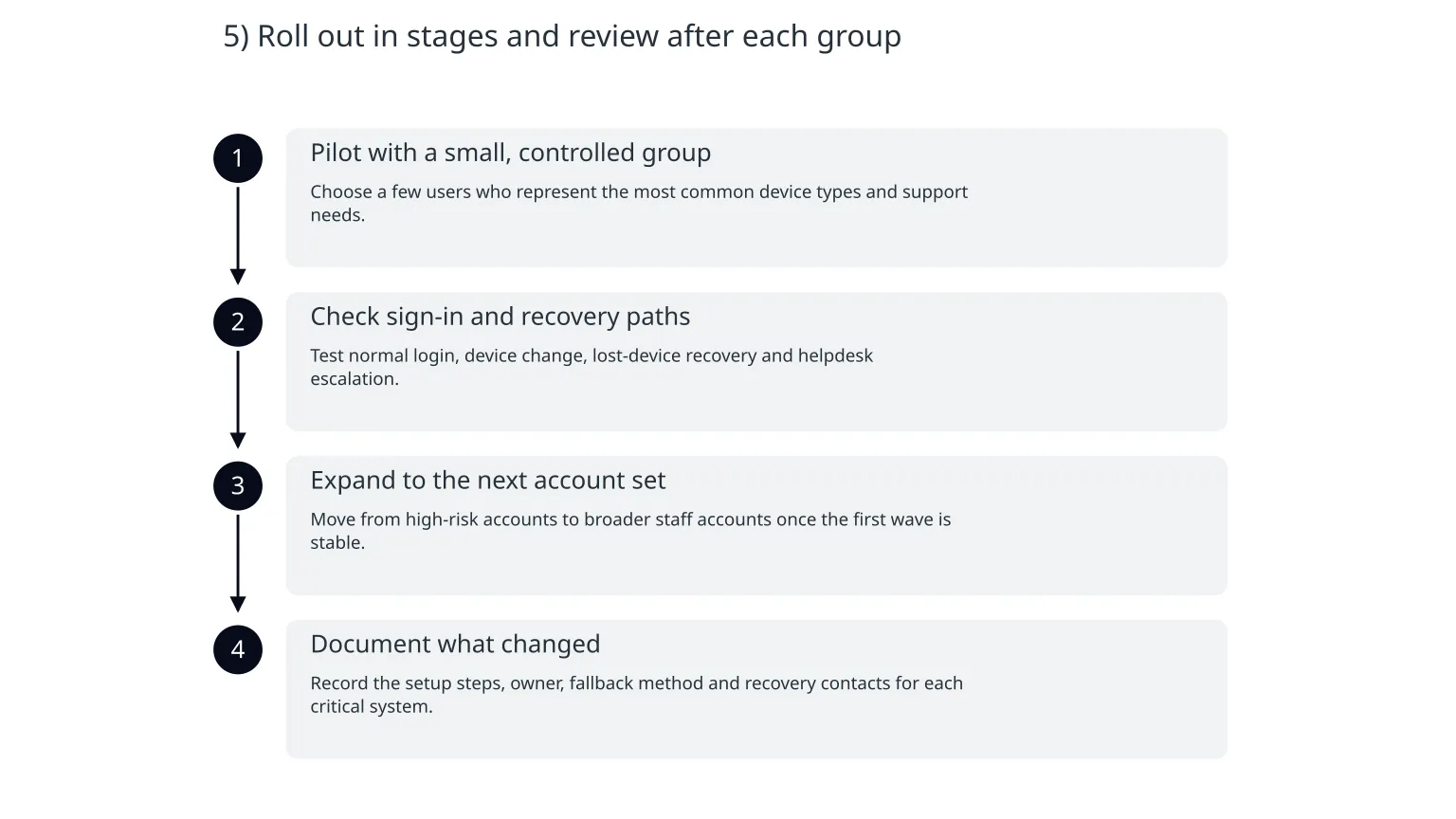
5) Roll out in stages and review after each group
- 1
Pilot with a small, controlled group
Choose a few users who represent the most common device types and support needs.
- 2
Check sign-in and recovery paths
Test normal login, device change, lost-device recovery and helpdesk escalation.
- 3
Expand to the next account set
Move from high-risk accounts to broader staff accounts once the first wave is stable.
- 4
Document what changed
Record the setup steps, owner, fallback method and recovery contacts for each critical system.
6) Watch for the failure points that matter
Most rollout problems are operational
The usual issues are not technical flaws in passkeys themselves. They are missing recovery, unclear ownership, a forgotten admin account or staff who do not know what to do when a device is replaced.
- A user can no longer reach their account after changing phone or laptop
- No one knows who can approve emergency recovery
- A critical service still depends on an old password that nobody has tested
- The help process works for one system but not for the rest
What to do next
- Start with the accounts that would hurt most if compromised.
- Set up recovery before you change anyone’s sign-in method.
- Keep passwords and 2-step verification where passkeys are not available yet.
- Pilot the rollout with a small group before wider adoption.
- Document ownership, fallback access and support steps in one place.
If you need help with the rollout
If your business is planning a wider access change, it can help to review account ownership, admin recovery and support steps before switching users over. That is especially useful when you have cloud systems, shared tools or external providers involved. A short security review can surface the gaps that are easiest to miss when everyone is focused on the new login flow.

About the author
Nixim Team, Product Engineering
Practical guidance from Nixim on building software, working with AI and running dependable cloud systems.