
How to roll out passkeys without locking users out
A practical rollout plan for small businesses moving from SMS or voice sign-in to passkeys. It covers user segmentation, communication, fallback access and recovery steps so the change improves security without creating avoidable support problems.

On this page
Why nowWho firstPlanFallbacksRecoveryWhat to avoidWhen to get helpNext stepsIn short
- Passkeys are becoming the default in Microsoft Entra ID, while Microsoft-provided SMS and voice sign-in are being retired on a fixed schedule.
- The main risk is not weak security in theory; it is lockouts when users only have one method and are suddenly asked to enrol a passkey at sign-in.
- A safe rollout starts with segmentation: know who uses SMS or voice, who is higher risk, and who needs extra support.
- You should enable passkey support before the migration campaign, then communicate to the right users at the right time.
- Keep a legitimate fallback path only where needed, and make recovery steps simple, documented and tested.
Microsoft Entra ID is moving passkeys into the default sign-in experience, with SMS and voice authentication being retired on a fixed timetable for most users. For a small business, the hard part is not understanding why passkeys matter. It is planning the switch so staff can keep working, support requests stay manageable and the people who still rely on SMS or voice do not get stranded mid-login.
The safest approach is operational, not ideological: identify who uses each method, decide who needs a passkey first, keep a fallback path for legitimate exceptions and test recovery before you announce a deadline. That is the difference between a calm transition and a busy support queue.
Why this migration needs a plan
Microsoft says passkeys are becoming the default sign-in experience in Entra ID, and Microsoft-provided SMS and voice authentication are being phased out on a fixed schedule. That does not mean every business must switch everything overnight. It does mean the old “we will deal with it later” approach becomes riskier as the dates get closer.
For a small business without a dedicated security team, the real issue is continuity. If staff, contractors or external users still depend on SMS or voice, they may only discover the change when they try to log in. Microsoft’s FAQ says that if SMS or voice is the only available MFA method, users will be prompted to register a passkey during sign-in before they can continue, and that prompt is blocking if no other path exists.
Start with user segmentation, not the technology
Before you announce anything, work out who actually uses SMS or voice. Microsoft recommends targeting communication to the security group of SMS and voice users so the right people get the right message. That is good advice because not everyone needs the same timing or level of support.
Frequent internal users
Staff who sign in every day should usually be first in the queue. They get the most benefit from a smoother, more modern sign-in experience once enrolled.Occasional users
Part-time staff, contractors and seasonal workers may need extra reminders because they sign in less often and are more likely to forget the new process.Higher-risk accounts
Administrators and anyone with sensitive access should be treated carefully. They may need passkeys plus a clearly tested recovery route before rollout.External or guest users
These users can be handled separately. Microsoft applies different retirement timing to some groups, so do not assume everyone follows one date.The key point is that access changes should follow actual usage, not org chart assumptions. A founder or operations lead can usually get enough clarity from a simple list: who uses SMS, who uses voice, who already has another MFA method, and who would struggle most if their login method changed.
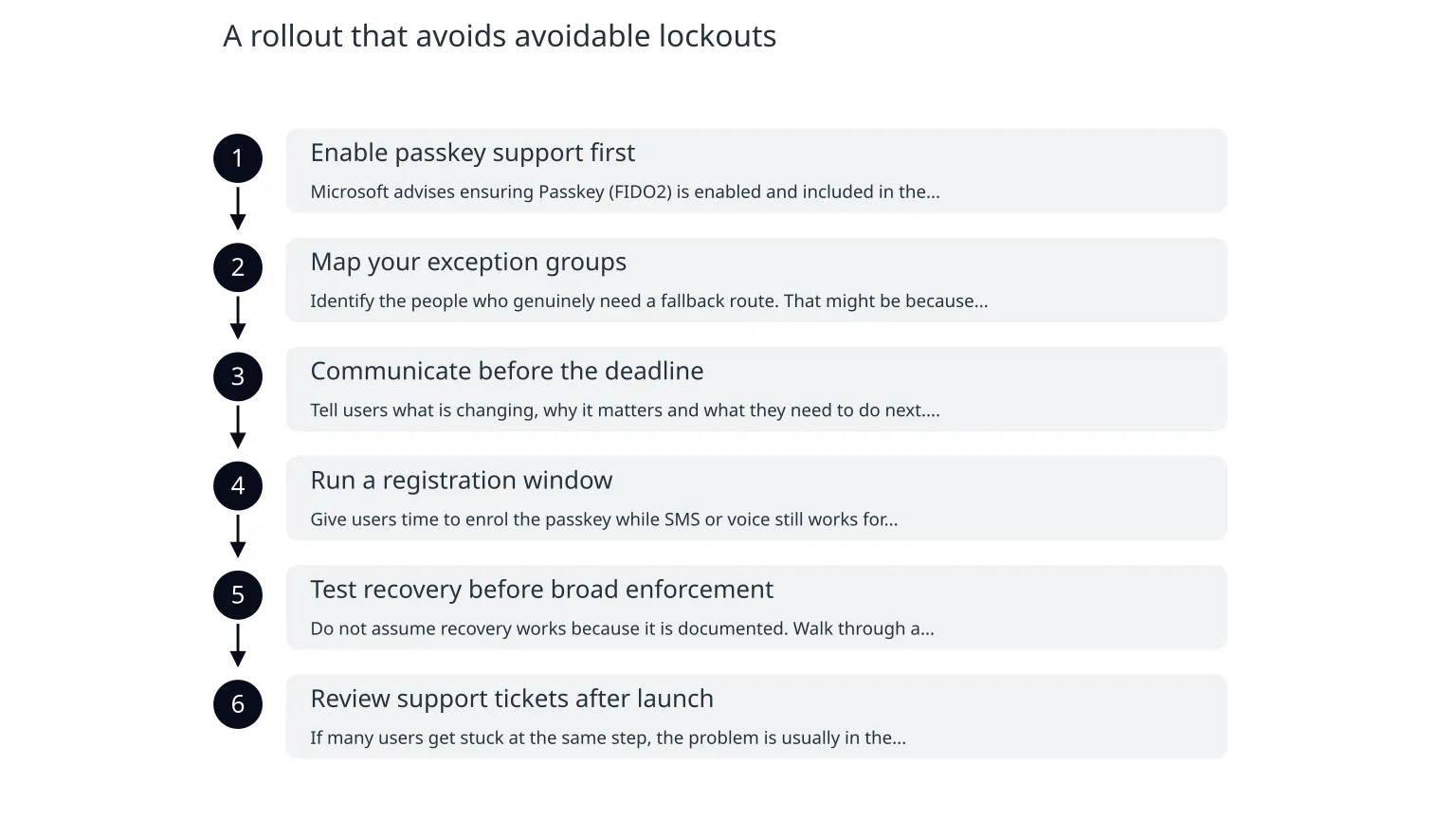
A rollout that avoids avoidable lockouts
- 1
Enable passkey support first
Microsoft advises ensuring Passkey (FIDO2) is enabled and included in the authentication methods policy before you run a registration campaign. In plain English: make sure the new path exists before asking people to use it.
- 2
Map your exception groups
Identify the people who genuinely need a fallback route. That might be because of device constraints, travel, shared equipment, or a temporary transition period. Keep this list small and reviewed.
- 3
Communicate before the deadline
Tell users what is changing, why it matters and what they need to do next. Keep the message simple. Avoid security jargon unless the audience needs it.
- 4
Run a registration window
Give users time to enrol the passkey while SMS or voice still works for sign-in. That reduces pressure and support load.
- 5
Test recovery before broad enforcement
Do not assume recovery works because it is documented. Walk through a realistic reset or device-loss scenario and confirm who can help, how long it takes and what evidence is required.
- 6
Review support tickets after launch
If many users get stuck at the same step, the problem is usually in the instructions, sequencing or exception handling—not in passkeys themselves.
Keep a fallback, but only where it is justified
A good migration is not the same as removing every alternative. Microsoft says organisations with a legitimate business, regulatory or technical need can continue SMS or voice by configuring a telephony provider through Microsoft Security Store. That matters because some businesses will need a temporary bridge, not an abrupt cut-off.
Safer approach
Use the fallback as a controlled exception. Record who can use it, why it exists, and when you will review it again.
Riskier approach
Leave SMS or voice in place with no owner, no review date and no clear recovery process. That tends to create confusion rather than resilience.
A fallback is useful when it is deliberate. It becomes a liability when nobody can explain who is allowed to use it or how long it is meant to remain.
Make account recovery boring
Most access problems become support problems when recovery is unclear. If a user loses their phone, changes device, or never completed enrolment properly, someone has to decide what happens next. That decision should already be written down.
0 of 6 complete
Common mistakes that create support headaches
- Sending a single company-wide announcement and assuming everyone understands what to do.
- Switching on enforcement before passkey enrolment is actually possible for the users who need it.
- Using the same message for administrators, casual users and external users.
- Leaving the helpdesk without a recovery script.
- Treating the migration as a technical change only, when it is really an access and support change as well.
These mistakes are avoidable because they are mostly planning failures. The technology may be new, but the operational pattern is familiar: when people do not know what happens next, they contact support or keep trying the old path.
When specialist help is worth it
If your Microsoft 365 environment is small and straightforward, you may be able to handle the transition with internal admin time and careful testing. Specialist help becomes more useful when you have mixed user groups, unusual access policies, external users, or no clear owner for identity and recovery.
This is also where a broader security review can help. Passkeys work best when they sit inside a sensible identity setup: clear admin roles, documented recovery, least-privilege access and a support process that does not break during busy periods. If you need help shaping that rollout, a short security review can be more useful than a long policy document nobody reads.
A simple next move this week
- List every user group that still relies on SMS or voice.
- Check that passkey enrolment is enabled before you contact users.
- Write a short recovery process and test it once.
- Keep exceptions small, named and time-limited.
- Use your communications to reduce confusion, not to impress people with security language.
If you do those five things, you will have a much better chance of moving to passkeys without unnecessary lockouts. The point is not to make login perfect. It is to make the change understandable, supported and recoverable for the people who actually use it.

About the author
Nixim Team, Product Engineering
Practical guidance from Nixim on building software, working with AI and running dependable cloud systems.