
How to tell whether dashboard numbers are fresh enough to trust
A practical guide to setting freshness SLAs, refresh cadence and alerting so dashboard users can tell when numbers are current, delayed or unsafe to use.

On this page
Why freshness mattersSet a targetRefresh cadenceDetect failuresAvoid false confidenceWhen to get helpChecklistIn short
- Freshness is a business rule, not just a technical setting.
- Match refresh cadence to how often the data really changes.
- Alert on stalled ingestion, missing series and late-arriving data.
- Show staleness clearly on the dashboard so users do not guess.
- Use upstream monitoring to protect decisions, not just chart visuals.
A dashboard can look healthy while the data behind it has stalled, drifted or gone quiet. That is why trust is not just a visual design problem. It depends on the freshness checks, refresh cadence and alerting that sit upstream of the chart. If the pipeline is late, the dashboard should say so clearly. If the data is old enough to be risky, people need to know before they act on it.
Why a good-looking dashboard can still be wrong
People often judge a dashboard by whether it loads, renders and shows the right labels. That is not enough. A chart can refresh successfully and still display data that is too old to support a decision. In practice, the risk is simple: the chart looks current, but the upstream feed has stopped, slowed down or become irregular.
Google Cloud Datastream treats freshness as the time between source write and the oldest event currently being processed, and recommends alerting on freshness, unsupported event counts and total latency. That is the right mindset for reporting too. Freshness is an operational signal, not something to check manually after the meeting has already started.
Start with a freshness SLA
A freshness SLA is a simple agreement about how old the data can be before it should be treated as unreliable for a specific use. It does not need to be fancy. It just needs to be explicit. For example, an operations dashboard may need near-real-time data, while a weekly finance report may tolerate a longer delay.
The important part is that the SLA should reflect the business decision, not only the technical pipeline. If a team uses the dashboard to react to stock issues, support spikes or payment failures, then stale data can create real mistakes. If the data is only used for trend review, a slower cadence may be acceptable.
- Define who uses the dashboard and what action they take from it.
- Set a maximum acceptable age for the data in that context.
- State what happens when the SLA is missed: warn, block or switch the report to stale.
- Review the SLA whenever the business process changes.
Match refresh to how the data arrives
Refreshing more often is not always better. Grafana advises using auto-refresh only when necessary and choosing an interval that matches the data arrival pattern. It also warns that long time ranges and intermittent data can make charts misleading if refresh and gaps are handled poorly.
That means refresh cadence should follow the source, not a habit. If data lands every five minutes, refreshing every ten seconds adds load without adding trust. If data lands irregularly, fixed polling may make the dashboard appear stale or blank even when the next update is just delayed.
Fixed polling
Simple to set up, but it can waste resources and confuse users if the source updates irregularly.
Event-aware refresh
Checks a lightweight signal, such as a high-water mark, and refreshes when new data actually arrives. This can reduce noise and unnecessary redraws.
Microsoft’s Azure Data Explorer live refresh pattern is useful here: it checks a lightweight indicator of new ingestion and refreshes only when new data arrives. That approach reduces unnecessary refreshes and makes the dashboard feel more aligned with reality.
Monitor for stalled refreshes and missing data
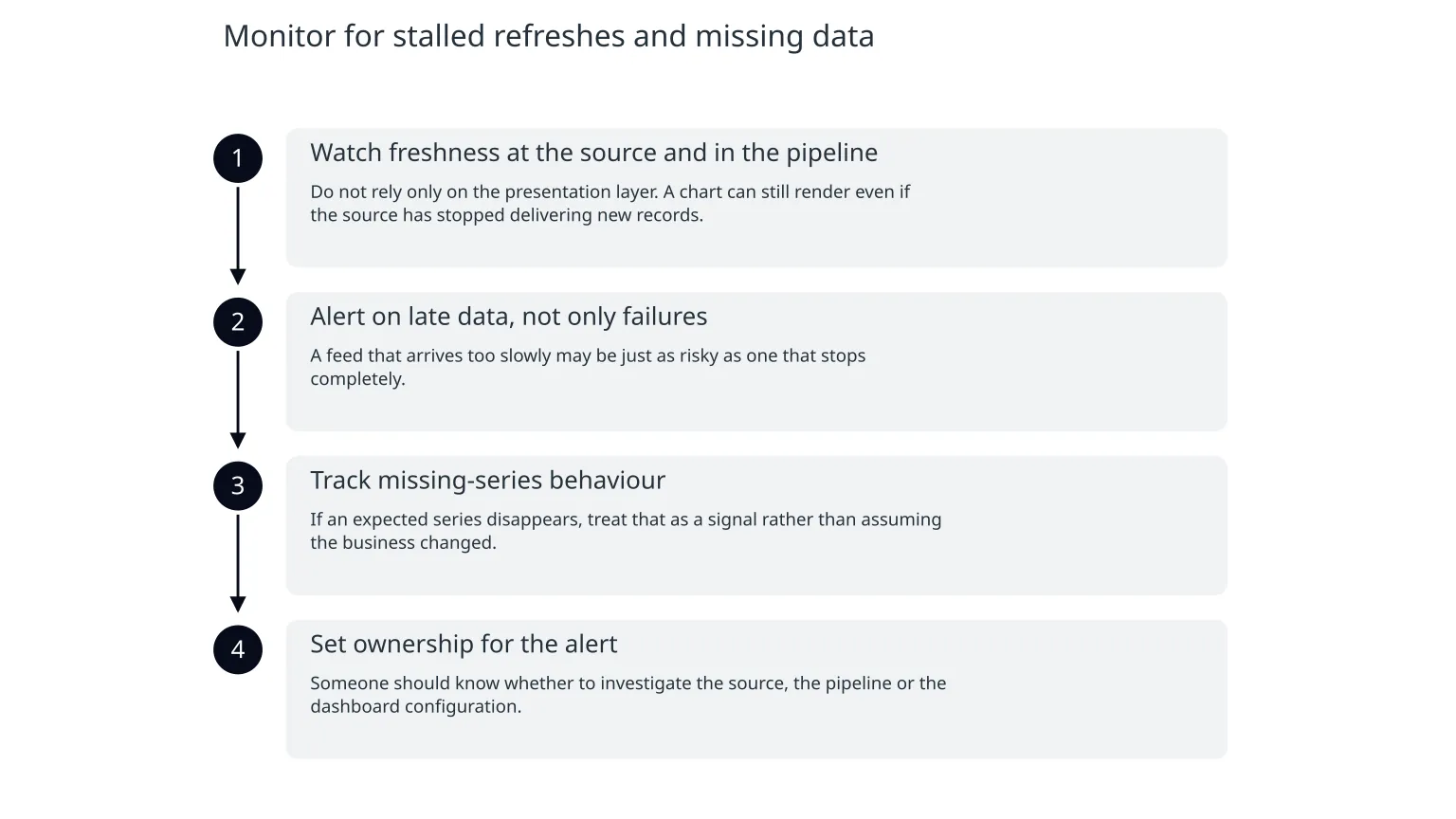
A freshness SLA only helps if you can detect when it is broken. That usually means monitoring the pipeline, not just the dashboard. Google Cloud Datastream recommends alerts on data freshness, unsupported events and latency, and also shows that an alerting policy can be created directly from the Data freshness graph in Cloud Monitoring.
The aim is to catch problems early enough that the dashboard does not silently become misleading. A stalled job, a missing partition, a source schema change or a temporary connection issue can all leave numbers looking complete while they are no longer current.
- 1
Watch freshness at the source and in the pipeline
Do not rely only on the presentation layer. A chart can still render even if the source has stopped delivering new records.
- 2
Alert on late data, not only failures
A feed that arrives too slowly may be just as risky as one that stops completely.
- 3
Track missing-series behaviour
If an expected series disappears, treat that as a signal rather than assuming the business changed.
- 4
Set ownership for the alert
Someone should know whether to investigate the source, the pipeline or the dashboard configuration.
Make staleness visible to users
The most trustworthy dashboard is honest about what it knows and what it does not know. If the data is late, the user should not have to infer that from a suspiciously flat line. A clear freshness label, last-updated timestamp or warning state reduces misinterpretation.
- Show the last successful refresh time clearly on the dashboard.
- Display a stale or degraded state when the freshness SLA is missed.
- Avoid mixing fresh and stale data without labelling the difference.
- Explain whether a delay is expected, partial or unresolved.
This matters because charts can look stable for good reasons or bad ones. A flat chart may mean the metric is genuinely steady, or it may mean ingestion has stalled. Without a freshness indicator, users are forced to guess.
When specialist help is useful
Many teams can add a timestamp to a chart. The harder part is making freshness reliable across multiple sources, failure modes and user groups. That is where support from a data or cloud team can be useful: defining the SLA, wiring alerts, deciding how to handle gaps and making sure the dashboard reflects reality instead of assumption.
Nixim’s data and insights work is relevant when the problem is not just a chart, but the quality, timing and ownership of the data behind it. The right fix may include upstream monitoring, better refresh logic, clearer reporting rules or a dashboard redesign that makes stale data obvious. The value is in reducing decision risk, not in making the interface look busier.
Good reasons to keep it in-house
The pipeline is simple, the data source is stable, and you only need a clear timestamp and one or two alerts.
Good reasons to bring in help
You have multiple data sources, unclear ownership, repeated freshness failures, or users making operational decisions from the report.
A simple checklist for trustworthy reporting
0 of 8 complete
- Trust depends on the upstream feed, not only the chart.
- Refresh should match data behaviour, not habit.
- Users need to see when numbers are stale.
- Alerting should catch latency and missing data early.
- If the dashboard is used to decide, freshness is part of the product.

About the author
Nixim Team, Product Engineering
Practical guidance from Nixim on building software, working with AI and running dependable cloud systems.