
Managed Hive-to-Iceberg migration or custom pipeline? A practical cloud decision checklist
A practical checklist for deciding whether to use AWS’s managed Hive-to-Iceberg migration in S3 Tables or keep owning a custom migration pipeline. The real question is not only speed, but how much operational burden, control and migration risk your team wants to carry after launch.

On this page
Why this mattersCheck fitCompare optionsRiskChecklistExamplesNext stepsWhen to ask for helpIn short
- Use the managed path when you want a narrower project and lower operational burden.
- Keep a custom pipeline when you need broader control or unusual orchestration.
- Check eligibility first: the current managed option is for AWS Glue-registered Hive tables stored as Parquet in S3.
- Plan for ownership after migration, not just the migration day itself.
- Do not assume the managed option removes all review, testing or rollback work.
AWS has introduced a managed path for moving Hive tables to Iceberg in S3 Tables, which makes this a useful decision point for teams modernising storage without wanting another custom migration job to maintain. The right choice is not just about whether the feature works. It is about who owns the migration logic, who maintains it later, and how much risk you accept if something changes mid-project. AWS says the managed route can move eligible tables while production workloads keep running, without you having to build the pipelines or provision extra compute for the migration itself. That is attractive, but it is not a universal answer. This article helps you decide when the managed path is a good fit, when a custom pipeline still makes sense, and what to check before you commit.
Why this is a decision about ownership, not just features
The headline benefit of a managed migration is simple: less work for your team. AWS says its S3 Tables migration path can move eligible Hive tables to Iceberg while keeping production workloads running, without requiring you to build a separate migration pipeline or provision extra compute for the job. That matters if your team is already busy and you want to reduce the number of moving parts you have to support.
But managed does not mean zero effort. You still need to confirm eligibility, test the result, decide how to sync changes during migration, and understand what happens after cutover. AWS documentation describes the process as creating an Iceberg table from an existing Hive table in the Glue Data Catalog, with the option to sync changes before completing migration. In other words, the vendor reduces the plumbing, but your team still owns the decision and the operational review.
First check whether the managed path actually fits your table estate
- 1
Confirm the source table type
AWS says the managed migration applies to AWS Glue-registered Apache Hive tables stored as Apache Parquet in Amazon S3 general purpose buckets. If your source tables do not match that shape, the managed path may not be available for them.
- 2
Check where the data lives
Regional availability matters. AWS said the feature launched in specific Regions, including US East, US West, Asia Pacific and Europe Regions. If your workloads span multiple Regions, this is a practical constraint rather than a footnote.
- 3
Review how much custom orchestration you already have
If your current migration logic does more than move tables — for example, coordinating multiple dependent systems, doing special validation, or managing complex release sequencing — replacing it with a vendor-managed path may remove useful control.
- 4
Decide whether one-way simplicity matters more than flexibility
A managed path is appealing when you want a simpler project. It is less attractive if you need a reusable migration framework for future work, especially across different data shapes or platforms.
Managed migration versus custom pipeline
Managed migration
Best when you want lower operational burden, a narrower migration project and fewer components to maintain after go-live. AWS handles the migration flow, and you avoid building and hosting the pipeline yourself.
Custom pipeline
Best when you need broader control, special sequencing, extra validation steps, cross-account or cross-Region handling, or a migration pattern that must work beyond the current managed feature set.
The trade-off is not about engineering pride. It is about where you want the complexity to live. A managed path lowers the amount of software you own, but it also narrows the ways you can shape the process. A custom pipeline gives you flexibility, but it becomes another system to support, document and eventually recover if something goes wrong.
- Choose managed migration if the source estate is well-bounded and the main goal is to modernise without creating another permanent maintenance job.
- Choose a custom pipeline if your migration must fit unusual business rules, broader source formats or bespoke cutover sequencing.
- Do not choose either option until you know who will own the post-migration support and table lifecycle.
Where teams can misread the risk
The biggest mistake is to assume that because the migration is managed, the migration risk disappears. It does not. The feature reduces the burden of building the pipeline, but you still need to validate the data, confirm the cutover plan and check that downstream tools can query the destination table correctly.
AWS says you can sync changes before completing the migration, and once complete you can query and write to the table with engines that support Apache Iceberg. That is helpful, but it also means the team needs a clear plan for the transition window. If downstream users keep writing while the migration is in flight, the team must know exactly how those changes are handled.
Another risk is hidden complexity after the migration. AWS notes that migration can compress or recompress data and compact small files. That may improve the destination table, but it also means the outcome is not just a metadata rename. Your team should test the destination carefully rather than assuming behaviour will be identical.
Decision checklist for founders and engineering leads
0 of 8 complete
If you cannot answer those questions cleanly, pause before choosing a path. In practice, that usually means the technical work is not yet the real blocker; the ownership model is.
Illustrative ways the decision can go
When managed fits
A small team has a bounded Hive estate in supported Regions and wants to modernise storage without adding a long-lived migration service to its backlog. The priority is less operational burden, not building a reusable migration platform.When custom fits
A larger platform team needs special sequencing, extra checks and repeatable control across several systems. The migration is part of a broader operating model, so flexibility matters more than reducing the number of scripts.When to stop and reassess
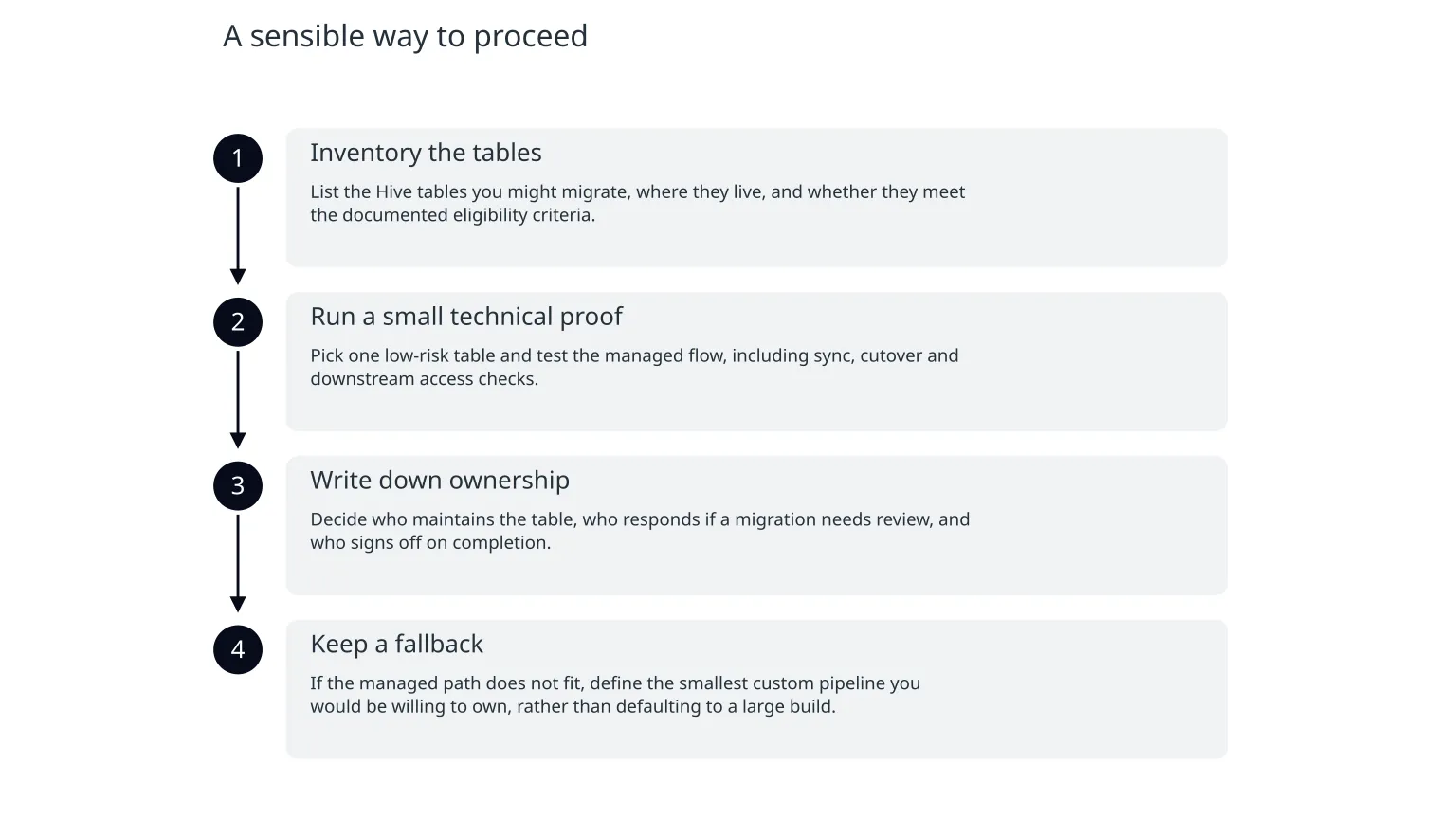
The source estate is messy, the downstream consumers are unclear, or the team has not agreed who owns the table after migration. In that case, the safest next step is to define scope and ownership before choosing tooling.A sensible way to proceed
- 1
Inventory the tables
List the Hive tables you might migrate, where they live, and whether they meet the documented eligibility criteria.
- 2
Run a small technical proof
Pick one low-risk table and test the managed flow, including sync, cutover and downstream access checks.
- 3
Write down ownership
Decide who maintains the table, who responds if a migration needs review, and who signs off on completion.
- 4
Keep a fallback
If the managed path does not fit, define the smallest custom pipeline you would be willing to own, rather than defaulting to a large build.
When specialist help is useful
This is the point where outside help can be useful: when your team knows it wants to modernise, but the ownership and migration shape are still unclear. A good implementation partner should help you narrow scope, compare managed and custom routes honestly, and identify what needs to be documented before cutover. If you need cloud architecture and migration support, that work should be grounded in the actual table estate, not in a generic migration script.
The best outcome is usually not the most ambitious one. It is the path your team can actually run, hand over and support after launch.

About the author
Nixim Team, Product Engineering
Practical guidance from Nixim on building software, working with AI and running dependable cloud systems.