
Offboarding checklist: what to disable first when someone leaves or changes role
A practical offboarding checklist for small UK businesses: remove or reduce access first, then check shared accounts, privileged roles, logs and review cadence so ex-staff, contractors and suppliers do not keep unnecessary access.

On this page
Start hereChecklistPrivileged accessLogsCadenceTrade-offsNext stepsIn short
- Disable access based on risk, not convenience.
- Start with admin, finance and customer data systems.
- Transfer ownership of shared accounts before you remove the person.
- Check logs after offboarding to spot anything unexpected.
- Use a simple recurring review so access does not drift back over time.
Offboarding is one of those jobs that looks administrative until something is missed. If a contractor, supplier or former employee still has access to email, cloud tools, finance systems or admin consoles, the risk is not theoretical — it is simply left open.
The safest approach is not to guess a universal order. It is to work through a short sequence: identify every account tied to the person, remove or reduce the highest-risk access first, check shared and privileged accounts, then review logs and schedule a follow-up. That aligns with NCSC and ICO guidance on access control, least privilege and log review.
This is a practical checklist for founders, operations leads and business owners running lean teams. It is meant to help you shut down unnecessary access without turning a normal staff change into a messy incident.
What to disable first
Lead with risk, not sequence
If someone is leaving, changing role or ending a supplier relationship, the first step is to remove the access that would cause the most harm if it stayed active. For most small businesses that means email, identity sign-in, finance tools, cloud admin, customer systems and any password manager or single sign-on account that can unlock other services. NCSC guidance on identity and access management is clear that access should be revoked when it is no longer needed, and that single sign-on can help you remove access alongside the person’s work account.
Use a role-based view
The useful question is not, "What did this person use?" It is, "What access does this role need today?" NCSC guidance on least privilege and joiners, movers and leavers says permissions should match the role and privileged rights should be reviewed regularly. That is the right mindset for offboarding too: remove what is no longer required, then transfer only what the business still needs.
A practical offboarding order
0 of 9 complete
Illustrative example
Illustrative only: a contractor who managed your support inbox may also have had access to your CRM and shared password vault. In that case, the safest order is to cut inbox and vault access first, then confirm whether any customer records, export links or vendor logins were copied into other tools. The point is to close routes that unlock other systems before moving on to lower-risk access.
Treat admin and service accounts separately
Admin rights need extra care
Privileged access deserves its own review because it can affect many systems at once. NCSC guidance on identity and access control and secure system administration both emphasise least privilege, logging and regular review of administrative activity. If the person had admin rights, check whether those rights were direct, inherited through a group, or granted through a shared account.
Direct personal admin access
Remove the account or strip the admin role immediately once the person no longer needs it. This is usually the cleanest path.
Shared or service admin access
Do not assume deleting the person’s account is enough. Rotate the shared secret, review who else can use it, and confirm the service still has a current owner.
Check what happened before and after removal
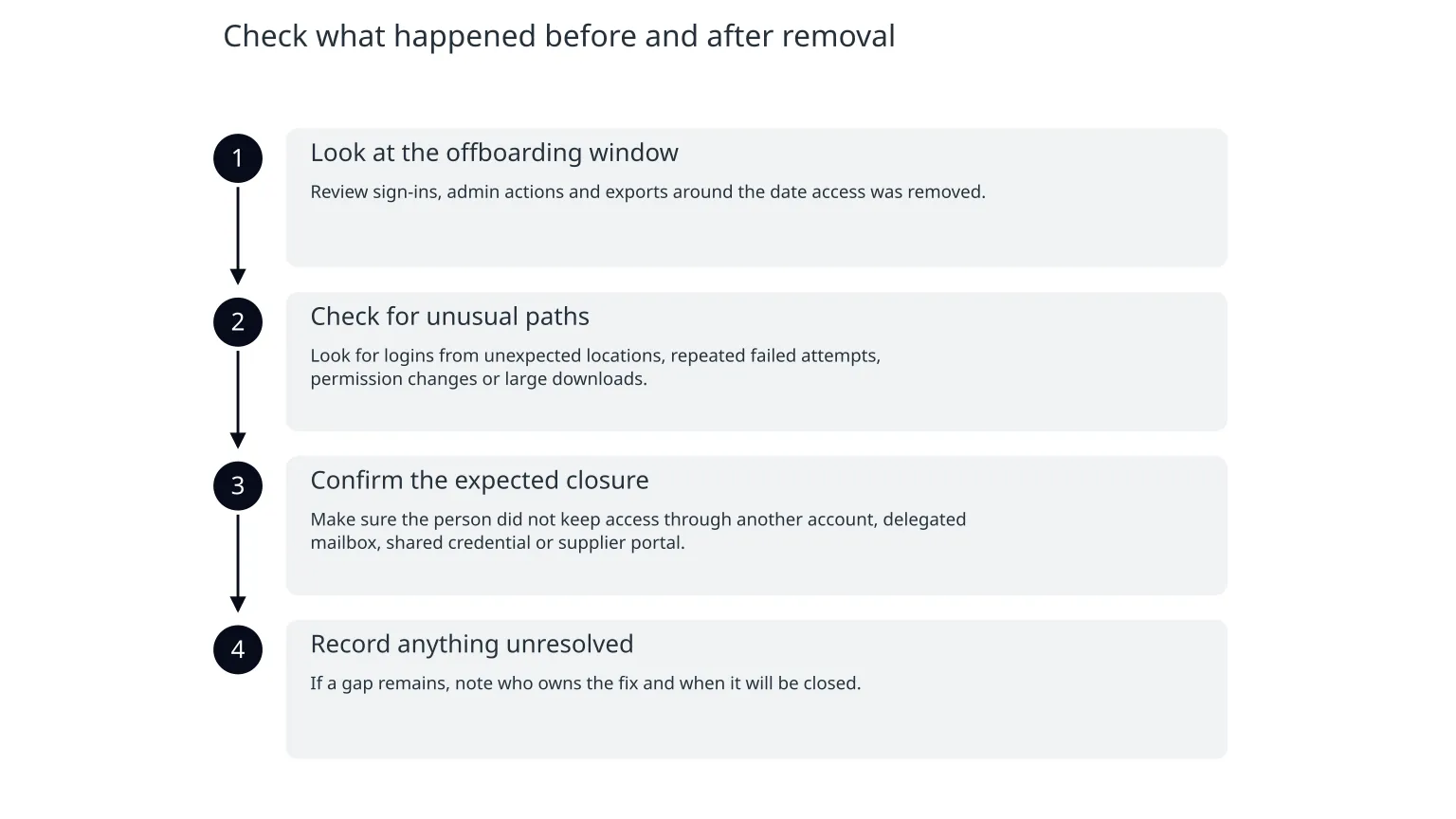
Logs are the second line of defence
Access removal is not the end of the job. ICO guidance notes that logs can help identify inappropriate access or disclosure and support the integrity and security of personal information. That makes log review a sensible follow-up after offboarding, especially where the person handled customer data, finance records or production systems.
- 1
Look at the offboarding window
Review sign-ins, admin actions and exports around the date access was removed.
- 2
Check for unusual paths
Look for logins from unexpected locations, repeated failed attempts, permission changes or large downloads.
- 3
Confirm the expected closure
Make sure the person did not keep access through another account, delegated mailbox, shared credential or supplier portal.
- 4
Record anything unresolved
If a gap remains, note who owns the fix and when it will be closed.
Keep access from drifting back
A one-off clean-up is not enough
People move roles, tools change and suppliers come and go. Without a recurring review, access creep returns quietly. NCSC guidance on privileged rights and cloud access both point to regular review of who still needs elevated access and for how long.
Monthly
Check admin accounts, shared inboxes and any temporary supplier access still in use.Quarterly
Review role-based access groups, dormant accounts and high-risk permissions.At every change
When someone joins, moves role or leaves, update access at the same time as the operational handover.Common mistakes and how to avoid them
- Deleting the user before checking ownership can break shared workflows, forwarders or file access.
- Keeping old access "just in case" leaves unnecessary risk in place.
- Changing only the password, but not the linked recovery methods or tokens, may still leave a route open.
- Treating contractors differently from employees can create gaps if the same systems are used.
- Skipping logs means you may never know whether the offboarding was clean.
Where specialist help is useful
If your business relies on many shared accounts, has no clear owner for admin access, or is unsure what is connected to what, a short security review can save time. The value is not a long report; it is getting a clear map of identities, permissions and dependencies so offboarding becomes repeatable rather than improvised.
What to do this week
0 of 6 complete
Quiet close
The goal is not perfect bureaucracy. It is a clean, documented habit: identify access, remove what is no longer needed, check for leftovers and review again on a schedule. That gives small businesses a practical way to reduce risk without slowing normal operations.

About the author
Nixim Team, Product Engineering
Practical guidance from Nixim on building software, working with AI and running dependable cloud systems.