
How to plan cutover and rollback before moving a live system to AWS
A practical guide to pre-cutover planning for AWS migrations: how to choose between phased and all-at-once cutover, prepare rollback steps, handle data changes, and agree go/no-go checks before the move.

On this page
Why it mattersChoose approachRollback designHandle dataGo/no-goWhen to helpNext stepsIn short
- Decide whether cutover will be phased or all at once before the change window.
- Define rollback ownership and the latest point at which rollback still works.
- Treat data changes during cutover as a planning problem, not an afterthought.
- Write go/no-go checks before the migration starts, not during the outage window.
- If the system is complex, specialist migration help can reduce avoidable uncertainty.
The safest migration plan is not the one with the most confidence. It is the one that already answers the awkward questions: what if traffic does not switch cleanly, what if a database update goes wrong, and who gets to say stop?
AWS’s migration guidance treats cutover as a planned change event, not a last-minute switch. That matters because once a live system is moving, the cost of indecision rises quickly. A good plan sets out the migration approach, the rollback boundary, the people involved, and the checks that must pass before you flip traffic.
This guide is for founders, operations directors and technical decision-makers who need a practical way to reduce downtime risk before a live move to AWS.
Why cutover planning is worth doing early
Cutover is the moment traffic moves from the old environment to the new one. In AWS terms, the aim is to minimise disruption by planning that change carefully, rather than improvising it on the day. That is why pre-cutover work should cover downtime tolerance, dependencies, infrastructure changes, operational changes and test plans.
If you leave those decisions until the final hour, the team has to answer them under pressure. That is when migrations drift from controlled change into guesswork. A clear plan does not remove risk, but it makes the risk visible before users are affected.
Phased or all at once?
Phased cutover
Move part of the workload, group of users, or traffic segment first. AWS notes this can reduce risk and make rollback easier because you can limit exposure while validating the new environment. It is often useful when you want proof before full exposure.
All-at-once cutover
Move the full workload in one change window. AWS says this can be practical when parallel operation is constrained by hostname conflicts, licence issues or domain authentication constraints. It is simpler in concept, but the rollback stakes are higher because more traffic changes at once.
For many businesses, phased cutover is the safer default when the application can support it. But it is not always possible. Some systems cannot run in parallel cleanly, so the real question is not which approach sounds better. It is which approach your dependencies can actually support.
Design rollback before you need it
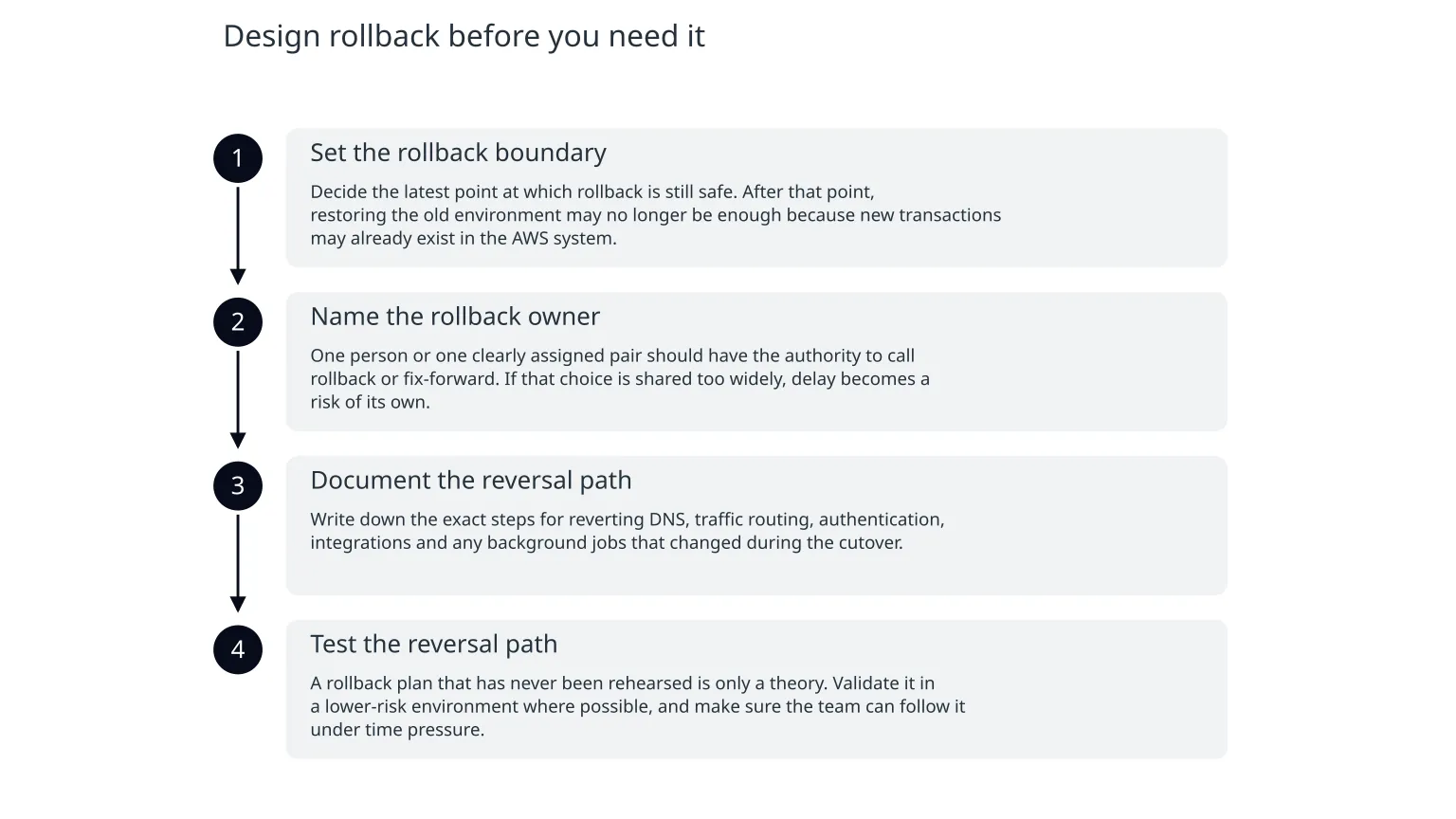
Rollback is not just a technical script. It is a decision framework. AWS recommends defining rollback checkpoints, a rollback strategy for handling data, and a clear point of contact for deciding whether to fix forward or roll back.
- 1
Set the rollback boundary
Decide the latest point at which rollback is still safe. After that point, restoring the old environment may no longer be enough because new transactions may already exist in the AWS system.
- 2
Name the rollback owner
One person or one clearly assigned pair should have the authority to call rollback or fix-forward. If that choice is shared too widely, delay becomes a risk of its own.
- 3
Document the reversal path
Write down the exact steps for reverting DNS, traffic routing, authentication, integrations and any background jobs that changed during the cutover.
- 4
Test the reversal path
A rollback plan that has never been rehearsed is only a theory. Validate it in a lower-risk environment where possible, and make sure the team can follow it under time pressure.
Plan for data changes during the move
Data is usually the part that makes migration feel risky. Code can be redeployed. Traffic can often be redirected. But once customers have started creating or changing records in the new environment, the old system may no longer be a clean source of truth.
- Decide whether writes are frozen during the change window or allowed to continue.
- If writes continue, define how you will keep systems aligned during the move.
- Identify any tables, queues or objects that must be reconciled after cutover.
- Agree whether the migration can tolerate a short data freeze, or whether business operations require continuous updates.
- Document what happens if an application writes to both environments during the transition.
For smaller systems, a brief write freeze may be acceptable if users can tolerate it and the business impact is understood. For busier systems, you may need a more sophisticated pattern. The point is to choose deliberately rather than discovering the data problem halfway through the migration.
Agree the go/no-go checks in advance
A go/no-go check should answer a simple question: is the system ready to switch, or must we pause? AWS migration guidance refers to go/no-go criteria that define when an application is considered cut over or when it must be failed back. Large migration governance guidance also uses planned meetings before the change window and at cutover time, which reinforces that this decision should be deliberate, not informal.
| Check | What it should confirm | Why it matters |
|---|---|---|
| Dependencies | Critical upstream and downstream systems are available | A cutover can fail even if the new AWS workload is healthy |
| Testing | The target environment has passed the agreed test plan | Testing reduces the chance of finding basic issues in production |
| Rollback readiness | The team can still reverse safely if needed | Rollback becomes harder once new transactions start |
| Data state | Required data has been migrated and reconciled | Inconsistent data can create user-facing errors |
| Ownership | The right person is available to approve go/no-go | Decision delay can turn a manageable issue into a longer outage |
It also helps to define what “pass” means. For example, “the app loads” is not enough if payment, search or notifications are also part of the release. Go/no-go criteria should reflect the actual business flow, not just server health.
When specialist help is useful
You may be able to self-manage
The workload is small, the dependency map is short, data changes are limited and the rollback path is straightforward. In that case, a careful internal team may only need a structured review and a rehearsal.
Specialist help is more useful
The system is live, the data model is messy, multiple services must move together, or downtime tolerance is low. A migration specialist can help with dependency mapping, cutover sequencing, rollback design and runbook clarity.
This is where Nixim’s cloud architecture and migration work can be relevant in a natural way: not to promise a perfect move, but to help plan the operational details that make the move safer. That includes migration sequencing, infrastructure changes, observability and cost guardrails as part of the wider migration design.
A practical checklist for the week before cutover
0 of 8 complete
- The best cutover plan answers rollback and ownership before migration day.
- Phased cutover usually gives more room to observe and recover, but all-at-once can be necessary in some environments.
- Data changes are the main reason rollback becomes harder after go-live.
- Go/no-go checks should be written and agreed before the change window, not during it.
If you are still early in the planning stage, start with the simplest version of this work: map dependencies, choose the cutover style, decide what happens to data, and name the person who can stop the migration. Those four decisions remove a surprising amount of uncertainty before you touch production.

About the author
Nixim Team, Product Engineering
Practical guidance from Nixim on building software, working with AI and running dependable cloud systems.