
How to reduce access risk without making work harder for staff and suppliers
A practical guide for small businesses on tightening access control, cleaning up admin accounts and testing restores, without adding avoidable friction to everyday work.

On this page
StartAccessAdminsSuppliersReviewsRestoreFirst stepsCloseIn short
- Use least privilege: give people and suppliers only the access they need, not broad default rights.
- Keep admin accounts separate from day-to-day accounts and protect them with stronger sign-in.
- Review access regularly, especially for suppliers, leavers and temporary projects.
- Treat restore testing as part of access control, because compromise often means recovery work.
- Start with the few accounts that could expose email, money, admin settings or shared workspaces.
Many small businesses add access loosely and tidy it up later. That works until an ex-employee account, a shared login or an over-broad supplier permission becomes the easiest route into email, cloud apps or customer data.
The good news is that reducing access risk does not have to make everyday work painful. The strongest approach is usually a combination of least privilege, separate admin accounts, regular reviews and restore readiness. NCSC guidance points in that direction: limit access to what is needed, keep privileged accounts separate from normal work, use MFA for admins, review privileges regularly, and test that you can restore data when needed.
This is a practical checklist for founders, operations leads and owners who want better control without creating a paperwork exercise.
The problem is usually access sprawl, not one dramatic breach
In many small businesses, access grows in the easiest possible way. A new tool is added, a supplier needs a quick login, a manager gets admin rights “for now”, and a shared inbox or shared cloud account keeps things moving. That is understandable, but it creates a quiet risk: people end up with more access than they need, and nobody is quite sure who can still reach what.
The aim is not to lock everything down so tightly that work stops. The aim is to make access proportionate, visible and easy to remove when it is no longer needed. That is the logic behind least privilege, separate admin accounts and regular access reviews.
Use least privilege, but make it practical
Least privilege means giving each person, system or supplier only the access they need to do the task in front of them, and nothing more. In practice, that might mean a support contractor can see tickets but not finance data, or a marketing user can publish content but not change billing settings.
Too broad
Everyone gets the same workspace access, because it is faster to set up. Permissions are rarely revisited.
More controlled
Access is granted by job need, time period and system. Temporary access is removed when the task ends.
This is especially important in cloud tools, where a powerful role can unlock far more than one person needs. NCSC guidance says all-powerful accounts such as global admin or root should be reserved for initial setup and emergency access, not everyday work.
- Map the systems that matter most: email, file storage, accounting, cloud console, CRM and support tools.
- List the people and suppliers who genuinely need each one.
- Remove standing access where a more limited role will do.
- Set a date for temporary access to expire automatically.
- Keep one owner responsible for each system’s permission list.
Separate admin accounts from normal work
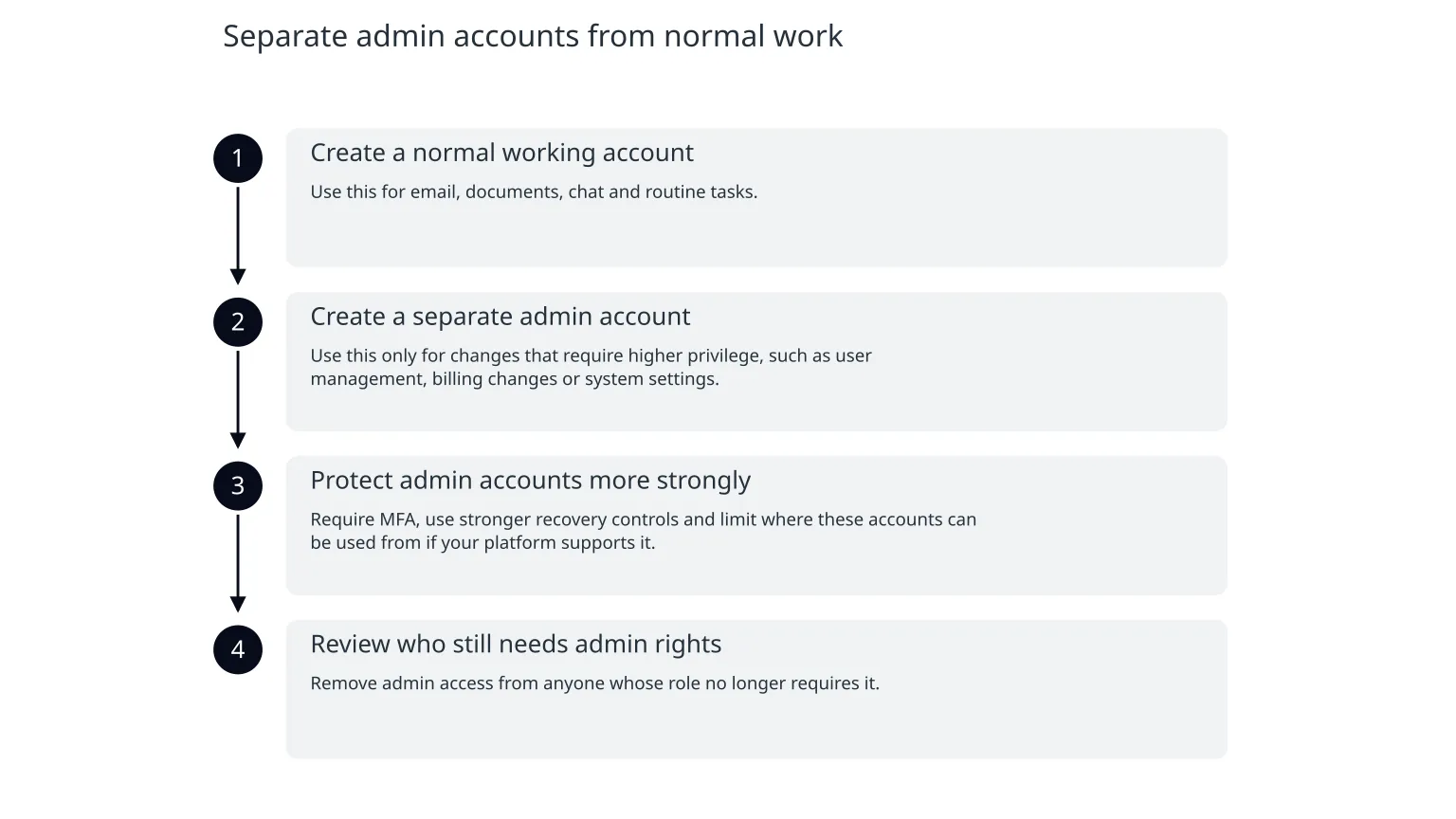
A common mistake is using one account for everything. It is easier, but it raises the stakes. If a phishing email or malware reaches that account, the attacker may inherit both ordinary access and administrative power.
NCSC recommends that administrators use separate accounts for day-to-day work and privileged tasks, and that privileged accounts are only used when absolutely necessary. It also recommends MFA for administrative accounts and a tiered model for admin access.
- 1
Create a normal working account
Use this for email, documents, chat and routine tasks.
- 2
Create a separate admin account
Use this only for changes that require higher privilege, such as user management, billing changes or system settings.
- 3
Protect admin accounts more strongly
Require MFA, use stronger recovery controls and limit where these accounts can be used from if your platform supports it.
- 4
Review who still needs admin rights
Remove admin access from anyone whose role no longer requires it.
Treat supplier access as temporary, specific and reviewable
Suppliers often need access to help with support, integrations, maintenance or project work. That does not mean they should have broad, open-ended permissions. CISA’s guidance for small and mid-sized businesses recommends need-to-know, least-privilege access and proper management of authentication, authorisation and accounting risks.
The practical question is not whether a supplier should have access at all. It is what exactly they need, for how long, through which account, and how you will know when to remove it.
0 of 6 complete
This reduces confusion when a contractor leaves, a project changes scope or the relationship ends. It also makes audits and incident response much easier, because you can see what access still exists and why.
Build access reviews into routine operations
Access reviews do not need to be large or bureaucratic. They do need to happen regularly. NCSC advises reviewing user accounts and unnecessary privileges and revoking privileged access when it is no longer required.
A useful review is short, focused and tied to a real change point: a leaver, a new project, a supplier renewal, a system launch or a quarterly ops review.
| Review point | What to check | Typical action |
|---|---|---|
| Monthly | New privileged accounts and temporary supplier access | Confirm each one still needs to exist |
| Quarterly | User roles in core systems | Remove broad roles and unused permissions |
| At leavers | Email, cloud, finance and shared tools | Disable access promptly and review delegated access |
| After incidents | Accounts used during investigation | Rotate credentials and remove unnecessary standing access |
Restore readiness is part of access control
Access control is not only about keeping people out. It is also about being able to recover when accounts or systems are compromised. NCSC’s data-security and recovery guidance says businesses should back up essential data, test restores regularly and make sure relevant people know how to restore after a loss. It also says restoration should be planned and tested carefully before systems are reconnected.
That matters because an access incident can quickly become a recovery problem. If a malicious actor changes permissions, deletes data or corrupts a system, the business needs to know who can restore what, from where and in what order.
- Test that backups can actually be restored, not just that they exist.
- Document who can run a restore and who approves it.
- Check whether restored data needs validation before it is trusted again.
- Keep admin credentials for recovery separate from routine user access.
- Make sure recovery steps are written down, not held in one person’s head.
What to do next this week
You do not need to redesign every system at once. Start with the accounts that would cause the most harm if misused: email, cloud admin, finance, shared storage and anything that can approve payments or change customer data.
- 1
List the powerful accounts
Identify all admins, superusers, shared logins and supplier accounts.
- 2
Remove the obvious excess
Strip back permissions that are clearly not needed for current work.
- 3
Separate daily and privileged use
Create or enforce separate admin accounts where they do not already exist.
- 4
Review supplier access
Check who still has access, why, and when it should end.
- 5
Schedule a restore test
Pick one critical system and confirm you can restore data from backup.
The goal is control, not friction
Good access hygiene should make the business easier to run, not harder. Staff should still be able to do their jobs. Suppliers should still be able to deliver their work. The difference is that access is deliberate, temporary where possible and easy to review.
If you want a simple rule to keep in mind, use this: give people only what they need, keep privileged access separate, review it often and prove you can recover if something goes wrong. That is a practical way to reduce risk without slowing the business down.

About the author
Nixim Team, Product Engineering
Practical guidance from Nixim on building software, working with AI and running dependable cloud systems.