
Should a business add scheduled data quality scans before it trusts a dashboard?
A practical guide to putting lightweight data quality scans upstream of dashboards so teams catch bad, late or incomplete records before they make a decision. It explains what to check, how scans fit into a small control stack, where they help, and where they can still fail.

On this page
Why it mattersHow it worksWhat to checkLimitsRisksNext stepsCloseIn short
- Put checks upstream of the dashboard, not inside the dashboard alone.
- Start with a small set of rules tied to real decisions.
- Use scans to catch missing, stale or invalid data, not every possible logic error.
- Treat alerts as a triage step, not a substitute for ownership.
- Add human review where the business impact of a bad number is high.
Dashboards are only useful if the numbers underneath them are dependable. If a table is late, incomplete or obviously wrong, the damage is often not the dashboard itself but the decision someone makes from it.
That is why scheduled data quality scans are best treated as a lightweight control layer, not a separate data engineering project. The point is to catch problems early, in the place where they start, before they reach reporting and create avoidable confusion. Google Cloud’s BigQuery documentation describes data quality scans as rule-based checks that can be automated and alerted on, while AWS recommends validating source data quality before transferring data for analytics.
Why dashboard trust breaks down
Most teams do not lose trust in dashboards because the charts are hard to read. They lose trust because the data behind them is late, missing or inconsistent. A sales dashboard that includes duplicates, a support report that misses a day of records, or a finance view that loads before the latest batch has landed can all lead to the same problem: a confident decision based on partial truth.
A scheduled data quality scan is a small check that runs before the dashboard refresh, or alongside the pipeline that feeds it. It is not a full data platform rebuild. It is a control layer that asks simple questions such as: did the expected rows arrive, are key fields populated, are values in range, and do the records match basic rules we rely on?
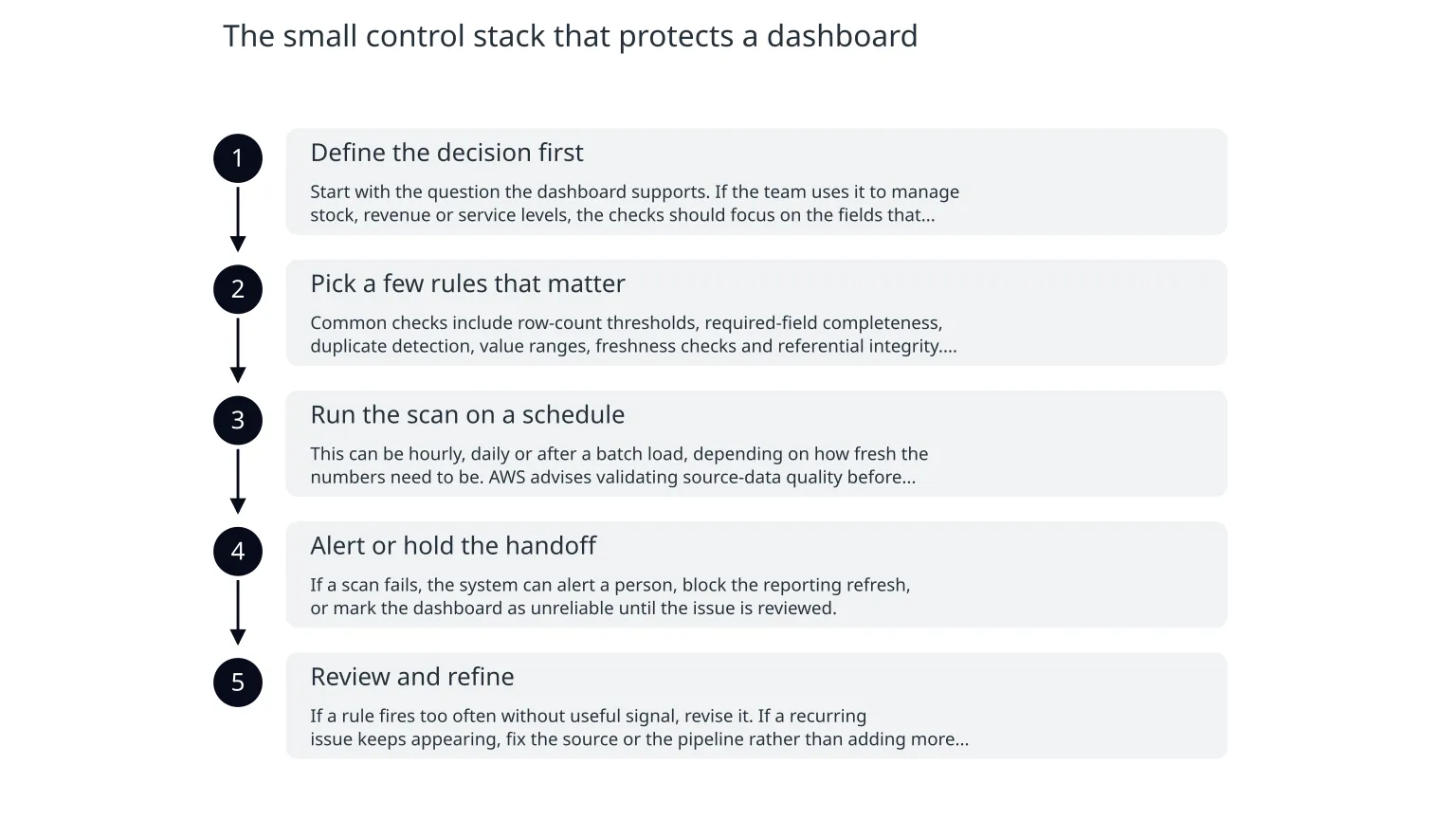
The small control stack that protects a dashboard
- 1
Define the decision first
Start with the question the dashboard supports. If the team uses it to manage stock, revenue or service levels, the checks should focus on the fields that would mislead that decision if they were wrong.
- 2
Pick a few rules that matter
Common checks include row-count thresholds, required-field completeness, duplicate detection, value ranges, freshness checks and referential integrity. Keep the first set small and tied to real business impact.
- 3
Run the scan on a schedule
This can be hourly, daily or after a batch load, depending on how fresh the numbers need to be. AWS advises validating source-data quality before analytics transfer, which supports this upstream approach.
- 4
Alert or hold the handoff
If a scan fails, the system can alert a person, block the reporting refresh, or mark the dashboard as unreliable until the issue is reviewed.
- 5
Review and refine
If a rule fires too often without useful signal, revise it. If a recurring issue keeps appearing, fix the source or the pipeline rather than adding more checks forever.
Checks worth starting with
Freshness
Has the expected data arrived on time, or is the table stale?Completeness
Are required fields populated, or are important values missing?Validity
Do dates, amounts and codes fall within expected ranges?Uniqueness
Are there duplicate records where there should only be one?Consistency
Do linked tables still agree with each other after the latest load?Volume
Is today’s row count unusually low or unusually high compared with normal patterns?Google Cloud’s BigQuery documentation shows that these scans can be automated, validated against defined rules and surfaced in the table’s data quality view. That visibility matters because the result should sit close to the data it protects, not in a separate spreadsheet nobody opens.
Where scans help, and where they do not
What scans are good at
They are good at spotting missing files, stale tables, broken formats, unexpected nulls, duplicate records and rule breaches that can be stated clearly.
What scans can miss
They may miss logic errors in the business rules themselves, a bad metric definition, or a source process that is technically valid but still misleading.
That distinction is important. A clean scan result does not mean the dashboard is trustworthy in every sense. It only means the checks you defined have passed. If the rule set is weak, the control layer will be weak too.
- A scan cannot rescue a poorly defined KPI.
- A scan cannot tell you whether the business question itself is still the right one.
- A scan cannot replace a human review when the outcome is financially or operationally sensitive.
- A scan is only as useful as the ownership behind it.
Misuse to avoid
The main risk is turning data quality into a box-ticking exercise. Teams sometimes add many checks that produce noise, while the real issue remains unfixed upstream. Another risk is over-trusting a green status even when the rule set is too narrow to catch the problem that matters.
There is also a practical scope limit. Google Cloud notes that BigQuery data quality scans are supported only for specific table types, and setup requires the right permissions and API configuration. That means the control layer is real operational work, not a zero-effort feature you switch on once and forget.
A sensible rollout for a smaller team
0 of 6 complete
If you already have a reporting stack, start upstream rather than redesigning the whole analytics layer. The best next step is often to protect one critical table, prove the checks are useful, then extend the approach to nearby datasets. That keeps the work lightweight and easier to own.
The practical takeaway
- Put quality checks before the dashboard, not after the damage.
- Start with a small set of rules tied to real business decisions.
- Treat scan results as an early warning system, not a guarantee.
- Keep ownership clear so recurring problems are fixed at the source.
- Expand only after the first controls prove they are useful.
In practice, the businesses that get the most value from data quality scans are usually not the ones with the biggest stack. They are the ones that keep the first layer small, visible and tied to a decision someone actually makes. That is how a control layer stays lightweight instead of becoming another project.

About the author
Nixim Team, Product Engineering
Practical guidance from Nixim on building software, working with AI and running dependable cloud systems.