
Should a business add recurring data quality scans before it trusts a dashboard?
A practical guide to adding a small, recurring quality layer before reporting data reaches BI. It explains which rules are worth checking, how scheduled scans work, where they help, and how to avoid turning data checks into a heavy platform project.

On this page
Why it mattersWhat to checkHow it worksDesign choicesRisksNext stepsIn short
- Start with the handful of checks that would make a dashboard misleading if they failed.
- Use scheduled scans or validation jobs to catch issues before reporting refreshes.
- Keep rules simple, visible and owned by the team that uses the data.
- Treat data quality as a decision safeguard, not a separate platform project.
- Escalate only the failures that would change action, not every minor anomaly.
Dashboards are only useful if bad rows, broken schemas and invalid values get caught before people act on the numbers. The question is not whether data can be perfect; it is how to spot the most damaging issues early enough to prevent poor decisions. For many teams, that means adding a small, recurring quality layer upstream of BI rather than building a large governance programme first.
Why dashboards need a quality layer first
The real problem
A dashboard can look polished and still be wrong in ways that matter. If a key field is missing, a schema changes quietly, or invalid values slip through, the chart may still render. The business problem is not the chart itself. It is the decision made from it. That is why upstream checks matter: they catch issues before the reporting layer turns them into confidence.
What recurring scans do
Google Cloud’s BigQuery documentation describes data quality scans that let you define rules, measure them automatically and log alerts when requirements are not met. In practical terms, that gives you a repeatable way to check whether data still meets the minimum standard your dashboard depends on. The aim is not perfect data. The aim is fewer avoidable surprises.
The smallest useful set of checks
Start with high-impact failures
The best first rules are the ones that would make a dashboard actively misleading. That usually means checking for nulls in required fields, duplicate records where uniqueness matters, invalid dates, values outside expected ranges, and unexpected schema changes. These are simple checks, but they often catch the biggest practical errors early.
Good first rules
Required fields are present Values fall within expected thresholds Identifiers are unique where needed Dates and timestamps are valid New columns or removed columns are detected
Usually too much at the start
Dozens of overlapping rules Perfect coverage across every table A central governance programme before any checks run Complex exception handling for low-value fields
Focus on decision-critical data
Not every table needs the same level of scrutiny. Start where the business acts on the numbers: revenue, orders, support volume, pipeline, stock, churn, or any metric that changes a decision. If a table does not affect action, it may only need basic validation. If a table drives finance, operations or customer messaging, it deserves stricter rules.
How scheduled scans fit into a small pipeline
A simple operating pattern
The useful pattern is straightforward. Data lands in a table. A scheduled scan or validation job checks the agreed rules. If the check passes, the data can flow into BI. If it fails, the team gets an alert or review queue before the refresh is treated as trustworthy. Google Cloud’s documentation supports this approach and shows that scans can be automated and reviewed in BigQuery or Knowledge Catalog.
Why scheduling matters
A one-off test only proves the data was clean at one moment. A scheduled scan gives you repeated proof that the source still behaves as expected. That matters when upstream systems change, integrations drift, or a manual export suddenly produces different values. Repetition is what turns a useful check into a reliable safeguard.
Illustrative example
Illustrative example: if a sales dashboard depends on a daily import, a scheduled scan might check that every order has an ID, currency and timestamp, that no order totals are negative, and that the latest batch contains records within an expected date range. If any rule fails, the BI refresh can be paused or labelled as incomplete until someone reviews the issue.
What to automate, and what to leave to people
Automate
Clear rule failures that can be checked consistently Missing values in required columns Invalid ranges, dates or duplicates Schema drift and batch completeness Routine alerts that do not need interpretation
Keep for human review
Ambiguous business definitions Legitimate exceptions that vary by customer or product Changes that may be real, but need context Decisions about whether a failure is serious enough to block reporting
Why human review still matters
Google Cloud’s docs note that scan setup involves permissions and operational choices, including which scope to use and who can create or view scans. That is a reminder that data quality is not just a technical task. Teams need someone to decide which failures matter, who receives them, and what happens next. Without that ownership, alerts become noise.
Where this approach can go wrong
- Writing too many rules too soon, which creates maintenance work without improving decisions.
- Checking low-value fields while the important metrics remain unguarded.
- Treating a passed scan as proof that the data is correct, rather than only an indicator that certain rules were met.
- Letting alerts accumulate without a named owner.
- Building a separate quality platform before you know which checks actually help.
The main trade-off
The trade-off is coverage versus simplicity. A lightweight quality layer is fast to adopt, easier to explain and less likely to stall delivery. But it will not catch every issue. It is meant to catch the failures that would most obviously damage a dashboard, not to solve governance in full. That is usually enough to start.
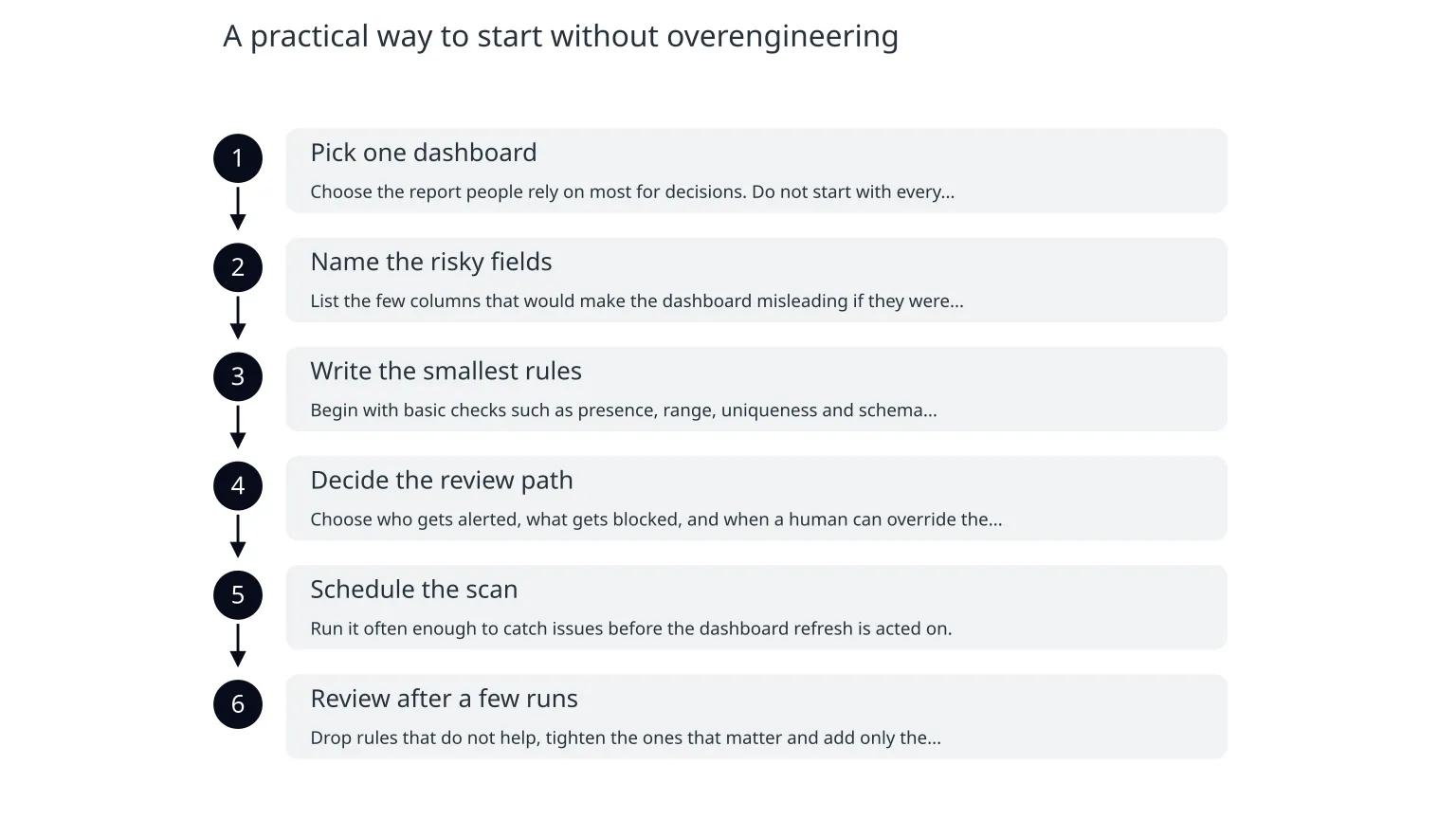
A practical way to start without overengineering
- 1
Pick one dashboard
Choose the report people rely on most for decisions. Do not start with every dataset.
- 2
Name the risky fields
List the few columns that would make the dashboard misleading if they were wrong, missing or duplicated.
- 3
Write the smallest rules
Begin with basic checks such as presence, range, uniqueness and schema stability.
- 4
Decide the review path
Choose who gets alerted, what gets blocked, and when a human can override the failure.
- 5
Schedule the scan
Run it often enough to catch issues before the dashboard refresh is acted on.
- 6
Review after a few runs
Drop rules that do not help, tighten the ones that matter and add only the next most useful check.
When specialist help is useful
If your data lives across several systems, your dashboard feeds finance or operations, or you are not sure which rules should block reporting, outside help can shorten the path to something useful. The practical value is in reducing the first layer of risk: defining the right checks, setting sensible thresholds and wiring the scans into a workflow people will actually use. For teams that want that work handled alongside broader data modelling, dashboards or integration design, a service like data and insights can help scope the smallest useful implementation and avoid unnecessary complexity.

About the author
Nixim Team, Product Engineering
Practical guidance from Nixim on building software, working with AI and running dependable cloud systems.