
How should a business update human oversight when AI systems become more capable and take more consequential actions?
As AI assistants move from drafting and suggesting to taking actions, businesses need a clearer approval model. This guide explains how to redraw the line between automatic action, human review and escalation so you can keep speed without giving up control.

On this page
Why changeDecision rulesWhat to reviewAuto-reviewIllustrativeSafeguardsNext stepsWhen to get helpIn short
- Move from blanket approval to risk-based approval.
- Keep humans in the loop for consequential or irreversible actions.
- Define clear escalation rules before AI is allowed to act more autonomously.
- Review the rules again when the model, workflow or risk profile changes.
As AI assistants and agents get more capable, the real question is not whether to use them, but where the human approval line should move. If every action still needs a person, you lose the point of automation. If the model can act too freely, you create avoidable business risk. The useful answer is usually in the middle: make low-risk actions automatic, require explicit approval for consequential steps, and define a separate escalation path for anything uncertain, sensitive or hard to reverse. OpenAI’s latest model guidance and its auto-review research both point in that direction: control should be intentional, risk-based and revisited as systems change.
Why your current approval model may be too blunt
Many businesses start with one simple rule: if AI is involved, a person must approve the output before anything happens. That is understandable at first. When you are still learning what the system can do, the safest default is to slow down and check everything.
The problem is that this rule often survives long after the system has changed. A tool that only drafts replies is not the same as a tool that can update records, trigger workflows or prepare customer-facing actions. Treating both the same creates friction where the risk is low and false confidence where the risk is higher.
OpenAI’s updated Model Spec makes a useful distinction here: the model operates within boundaries set by the platform and the application, and the developer still controls how the system is used. In other words, the question is not whether AI is “safe enough” in the abstract. The question is whether your process sets the right limits for the kind of action being taken.
A practical rule set for approval and escalation
A simple way to redesign oversight is to sort AI actions into three groups: automatic, approval required and escalation required. The point is not to give AI more freedom everywhere. It is to match the level of human involvement to the likely impact of the action.
Automatic
Low-risk, reversible actions that save time but do not commit the business to a serious outcome. Example: drafting a reply, summarising a document, classifying a support ticket, or suggesting a next step for a colleague to confirm.
Approval required
Actions that could affect customers, records, money, access or reputation, but where a person can still review the recommendation quickly. Example: sending a customer message, changing a billing record, or creating a task that will be actioned by another team.
Escalation required
Actions that are hard to reverse, unusual, outside policy or based on weak evidence. Example: deleting data, changing security settings, exposing information, running untrusted code, or taking an action the system is not confident about.
Separate review
When the request crosses a boundary, use a different reviewer or a separate approval layer rather than the same person who requested the action. This reduces the chance that convenience turns into unchecked automation.
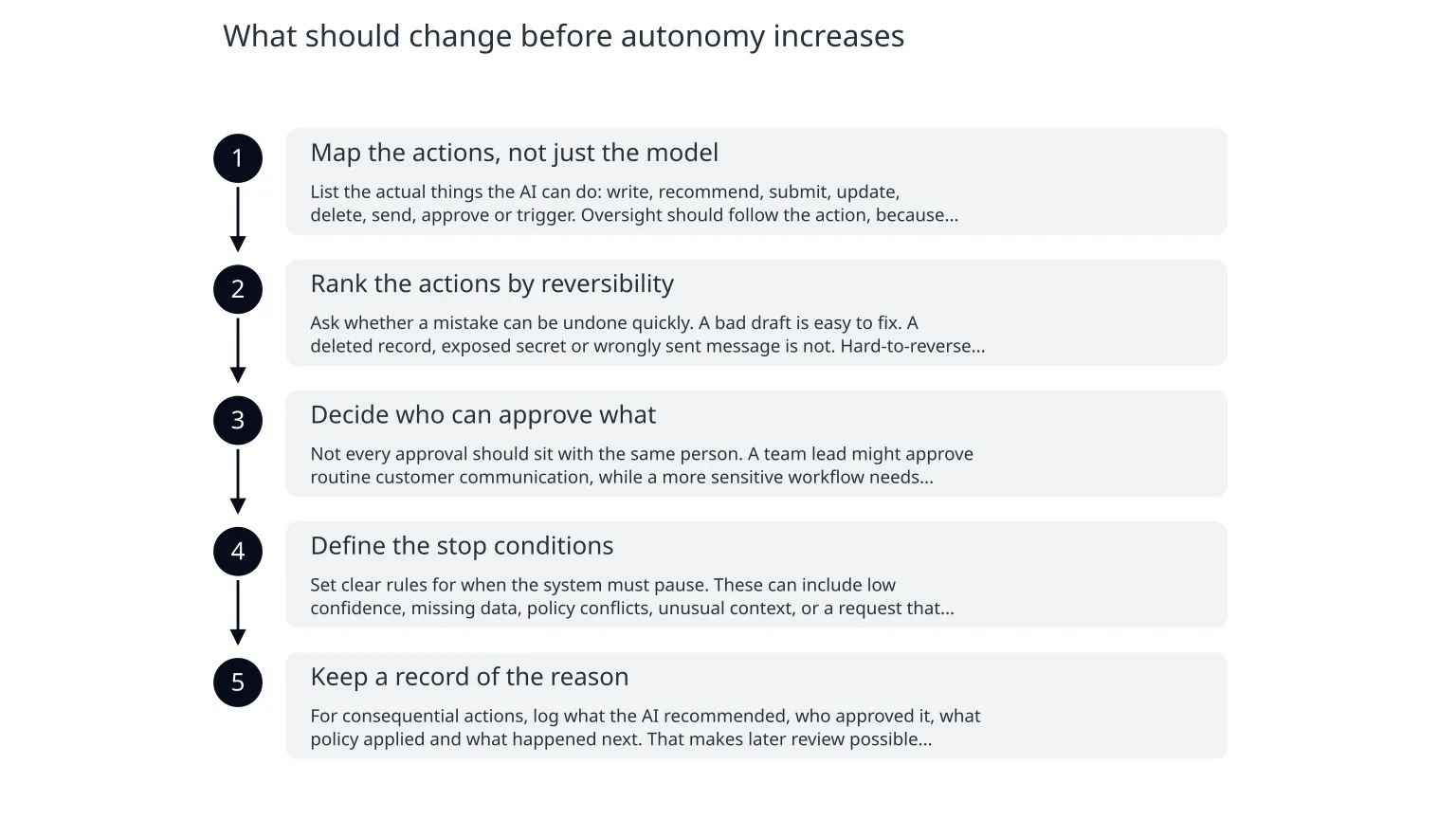
What should change before autonomy increases
- 1
Map the actions, not just the model
List the actual things the AI can do: write, recommend, submit, update, delete, send, approve or trigger. Oversight should follow the action, because the model itself is only one part of the risk.
- 2
Rank the actions by reversibility
Ask whether a mistake can be undone quickly. A bad draft is easy to fix. A deleted record, exposed secret or wrongly sent message is not. Hard-to-reverse actions need tighter control.
- 3
Decide who can approve what
Not every approval should sit with the same person. A team lead might approve routine customer communication, while a more sensitive workflow needs operations, security or finance review.
- 4
Define the stop conditions
Set clear rules for when the system must pause. These can include low confidence, missing data, policy conflicts, unusual context, or a request that affects sensitive systems or external parties.
- 5
Keep a record of the reason
For consequential actions, log what the AI recommended, who approved it, what policy applied and what happened next. That makes later review possible without forcing the same person to remember every detail.
What auto-review can help with, and where it still falls short
OpenAI’s auto-review research gives a concrete example of a more scalable approval pattern. Instead of demanding a human for every boundary-crossing action, a separate review step considers user intent, the environment, security policy and likely impact before approving or denying the request.
That can reduce unnecessary interruptions. OpenAI says the approach was designed to block many harmful or hard-to-reverse actions, including data exfiltration, secret exposure, deletion, weakened security settings and untrusted code execution, while still allowing many legitimate requests through.
Illustrative examples of changing the approval line
Illustrative example: a support assistant can draft a refund response automatically, but it must ask for approval before issuing the refund. If the refund is above a threshold, the request escalates to a manager. The business keeps speed for the common case while protecting money movement.
Illustrative example: a workflow agent can update a CRM record when the match is clear and the change is reversible. If the record affects contract terms, billing or access rights, the action pauses and shows a reviewer exactly what will change before anything is committed.
Illustrative example: a document assistant can summarise an invoice and flag likely anomalies. It should not approve payment on its own unless the organisation has separately defined the validation rules, exception handling and human sign-off for edge cases.
Practical safeguards that make autonomy safer
0 of 7 complete
A sensible way to roll this out
- 1
Start with one workflow
Pick a task where AI already saves time and where the risk is understandable. Do not redesign every process at once.
- 2
Write the approval rules in plain English
Keep them short enough for a non-technical manager to follow. If the rules are hard to explain, they are probably too vague.
- 3
Build the review screen around decisions
Show the action, the likely impact, the reason for escalation and the available choices. Reviewers should not have to guess.
- 4
Measure the exceptions
Track how often the system pauses, how often humans override it and whether the review step is catching genuinely risky cases or just creating noise.
- 5
Tighten only after real use
Once the workflow has been used in practice, adjust the thresholds, escalation path and logging based on evidence rather than instinct.
When specialist help is useful
This is the point where many businesses benefit from outside support: when they know the workflow they want, but need help turning it into a reliable system with sensible guardrails. That can include mapping actions, setting approval thresholds, designing human handoff points, and building the supporting software so the process is easy to use.
For teams that want AI assistants or workflow automation without losing control, the practical goal is a system that is fast for routine work and careful for consequential work. If your current process does not clearly distinguish those two, it is time to redraw the line before autonomy increases further.

About the author
Nixim Team, Product Engineering
Practical guidance from Nixim on building software, working with AI and running dependable cloud systems.