
What data-quality checks should sit upstream of a dashboard, so the numbers stay trustworthy after refresh?
A practical guide to checking source data, refresh status and output consistency before dashboard numbers reach decision-makers. It explains a simple sequence that helps teams catch stale, incomplete or inconsistent reporting early.

On this page
Why it mattersStart at sourceSet simple rulesWatch refreshesCompare outputsPractical controlsCommon mistakesNext stepsIn short
- Profile the source before you build the dashboard.
- Define a few simple checks that match the business question.
- Use refresh history and freshness indicators to spot stale data.
- Compare outputs when numbers disagree instead of forcing one view to win.
- Treat the dashboard as the final display layer, not the place where data quality starts.
A dashboard can look polished and still be wrong. If the source data is incomplete, the refresh fails quietly, or two reports calculate the same number in different ways, decision-makers can end up acting on a false picture.
The fix is not more chart design. It is a practical quality sequence upstream of the dashboard. Start with the source, set simple rules for what “good” looks like, watch refresh history, and compare outputs when something does not line up. Microsoft, Google and AWS all point to the same basic idea: trust comes from checking freshness, consistency and anomalies before the numbers are presented.
Why a refreshed dashboard can still be untrustworthy
A successful refresh only tells you that the pipeline ran. It does not prove the inputs were complete, the logic was correct, or the outputs still match the business question. Microsoft’s Power BI guidance separates refresh timing, failure notifications and freshness indicators from the data itself, which is a useful reminder that “updated” and “trustworthy” are not the same thing.
This matters most when the dashboard is used for decisions rather than display. If sales, operations or finance teams are relying on it, then missing rows, late-arriving data, duplicated records or inconsistent definitions can create real confusion. The best defence is to check quality before the data reaches the reporting layer, not after someone notices a number looks odd.
1) Profile the source before you build the report
Before building any visual, inspect the source data in its raw form. Ask a small set of practical questions: What fields are present? Which values are optional? How often does the source change? Are there known late-arriving records, duplicates or status changes? AWS describes this kind of profiling as part of keeping data accurate, complete, consistent and usable.
For example, if your dashboard tracks orders, confirm whether cancelled orders still appear, whether refunds are written as separate rows, and whether timestamps use the same time zone. If you are reporting leads, check whether one person can appear twice through different forms or channels. These checks sound basic, but they prevent many of the errors that later look like a dashboard problem.
Completeness
Are the key fields present for every record you expect?Consistency
Do values follow the same format and meaning across sources?Timeliness
Does the source arrive soon enough for the dashboard’s purpose?Uniqueness
Can the same event, person or transaction appear twice?2) Define a few quality rules that match the decision
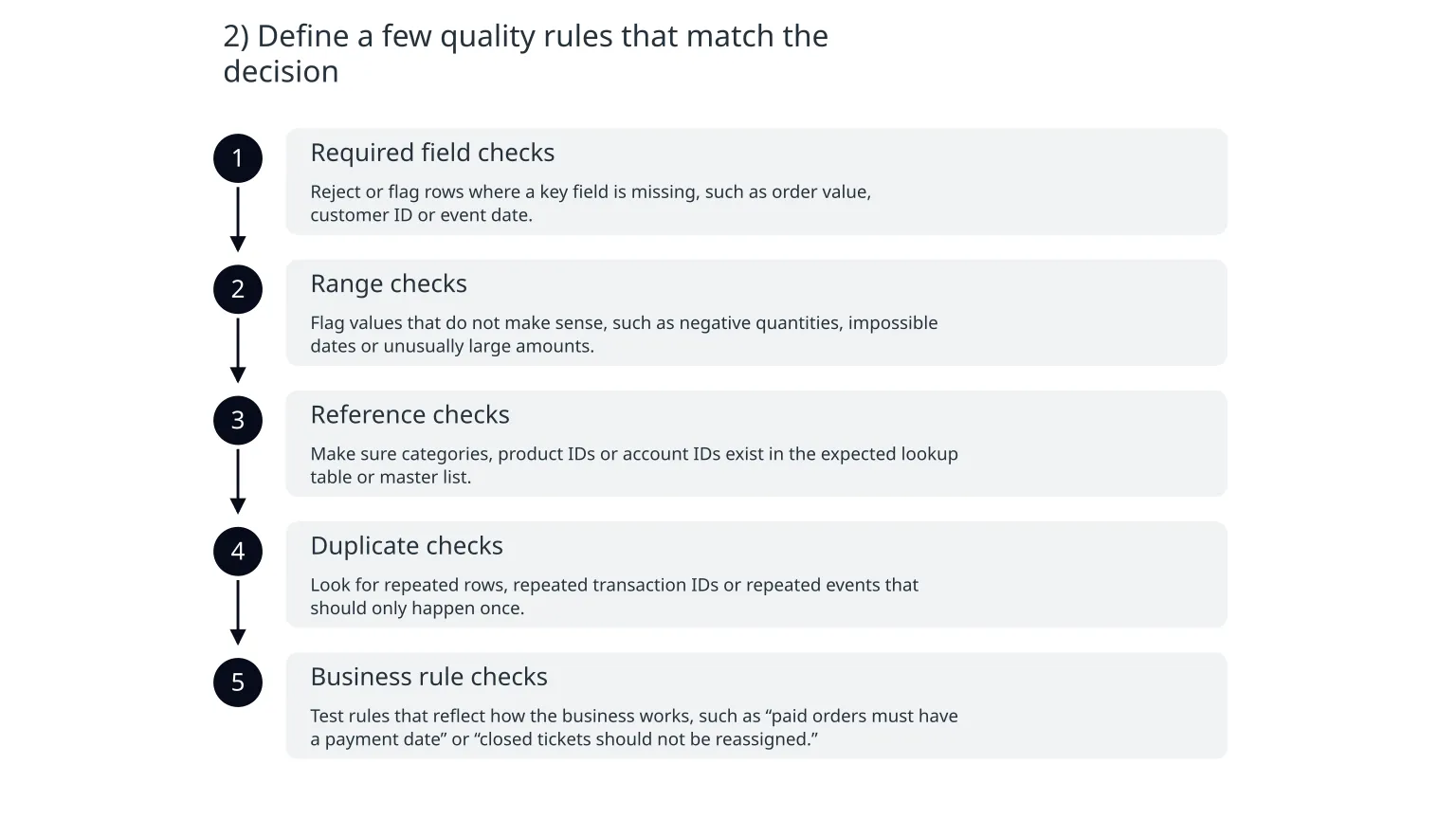
You do not need dozens of rules to start. A short list of clear checks is usually better than a long policy nobody maintains. Focus on the fields that drive decisions: totals, dates, statuses, identifiers and categories.
- 1
Required field checks
Reject or flag rows where a key field is missing, such as order value, customer ID or event date.
- 2
Range checks
Flag values that do not make sense, such as negative quantities, impossible dates or unusually large amounts.
- 3
Reference checks
Make sure categories, product IDs or account IDs exist in the expected lookup table or master list.
- 4
Duplicate checks
Look for repeated rows, repeated transaction IDs or repeated events that should only happen once.
- 5
Business rule checks
Test rules that reflect how the business works, such as “paid orders must have a payment date” or “closed tickets should not be reassigned.”
AWS Glue Data Quality supports profiling, distribution analysis and rule results that can help teams spot skew, outliers and unexpected patterns without writing everything from scratch. The exact tooling matters less than the habit: define the rule, run it consistently and make exceptions visible.
3) Check refresh history and freshness, not just the latest chart
A dashboard should tell you whether it is current. Microsoft’s freshness guidance highlights that published and shared content can show date and time information, while refresh history and failure notifications help teams see whether the semantic model actually updated as expected.
Use that information operationally. If a report usually refreshes at 7:00 a.m. and the current time is 11:30 a.m. with no update, the problem may be obvious. But if the refresh completed and the numbers still look wrong, the issue may be upstream, not in the reporting tool.
- Check the last successful refresh time before anyone uses the numbers.
- Review refresh failures, warnings and retries, not just the final status.
- Set alerts for stale data if the dashboard has a business cut-off time.
- Distinguish between a failed refresh and a successful refresh with bad input data.
4) Compare reports when numbers disagree
Sometimes the fastest way to find a problem is to compare the same metric in two places. Google notes that reporting API results can differ from the UI because of sampling, aggregation and data freshness, and recommends using raw exports when you need the underlying event data. That is a useful pattern even outside Google Analytics: compare the report to the source of truth, not just to another dashboard tile.
If two numbers disagree, do not force a quick visual fix. Ask which layer changed: the source, the transformation logic, the refresh timing or the metric definition. A discrepancy is not always a bug; sometimes it is a sign that two reports are answering different questions.
When a comparison helps
Use it when a KPI suddenly changes, when different reports disagree, or when a stakeholder questions the result.
When it can mislead
Do not compare numbers that use different definitions, time windows or data freshness rules without explaining the difference first.
5) Build a small control loop around the dashboard
The most reliable teams do not treat data quality as a one-off task. They create a small loop: profile the source, clean obvious issues, prevent known errors, and monitor the results. AWS frames this as a lightweight data-quality management cycle for smaller businesses.
Before refresh
Profile the source, validate required fields and check for obvious anomalies or duplicates.
After refresh
Review refresh status, freshness indicators, totals and exceptions before publishing the report to users.
What goes wrong when teams skip these checks
Most dashboard issues are not dramatic. They are small gaps that slowly erode trust. A source changes shape and the transformation still runs. A refresh succeeds but on partial data. Two teams use different definitions for the same metric. Or a report is technically current, but no one knows whether it covers all the expected rows.
- Assuming a successful refresh means the data is correct.
- Hiding exceptions instead of making them visible.
- Using too many rules without clear ownership.
- Comparing reports without checking metric definitions.
- Letting stale dashboards sit in circulation after a source change.
A practical starting sequence for small teams
0 of 6 complete
If you need a starting rule, begin with the checks that protect the business question, not every possible data issue. That often means source profiling, simple validation, refresh monitoring and discrepancy review. Done well, these controls make the dashboard more useful without turning the process into heavy governance.
For teams that want a dashboard, pipeline or reporting layer built with ownership in mind, Nixim’s data and insights work can support the design of validation rules, refresh checks and handover documentation as part of a wider build. The main point, though, is simple: make the data trustworthy before you make it beautiful.

About the author
Nixim Team, Product Engineering
Practical guidance from Nixim on building software, working with AI and running dependable cloud systems.