
What should change in your AI approval rules after OpenAI updates its Model Spec?
OpenAI’s updated Model Spec is a useful prompt to review where your AI can act on its own, where it must ask a person, and which workflows need re-testing after a model change. The right response is usually operational: clearer permissions, stronger escalation rules and a small set of checks that can be repeated after upgrades and deprecations.

On this page
Why it mattersControlsExamplesRe-testingSafeguardsNext stepsIn short
- Review what the model may do without help, and what still needs a human.
- Treat model upgrades and deprecations as control-change events, not just technical swaps.
- Re-test workflows that make decisions, send messages or touch customer data.
- Keep a clear escalation path for exceptions, low-confidence outputs and unusual cases.
If your product or internal workflow uses OpenAI models, a Model Spec update is not just a policy document to skim and file away. It is a reminder to check whether your AI is still allowed to do the right amount of work on its own.
The useful question is not whether the model is “more capable”. It is whether your controls still match what the system does in practice. That means reviewing approval rules, escalation thresholds, audit trails and the scenarios you re-test after a model upgrade or deprecation. OpenAI says the updated Spec reorganises model behaviour around faithfulness to human intent, harm minimisation, honesty and transparency, human agency and care, and that some guidance now sits in broader defaults rather than rigid style rules.
Why a Model Spec update should trigger a controls review
The main point
The updated Model Spec is best read as a signal to revisit how your business lets AI behave in production. OpenAI says the new version gives clearer guidance on context, oversight and agency, and that the document now leans less on detailed style rules than before. For a business, that means the old habit of saying “the model seems fine” is not enough. You need to know what the model is allowed to do, when it must pause, and who is accountable when it is uncertain.
What has changed in practice
OpenAI also says the Spec is a description of desired behaviour, not a claim that all models already meet it perfectly. That matters because your product controls should not assume the model will always behave exactly as intended. If your workflow can send emails, approve requests, update records or draft customer-facing messages, a small shift in model behaviour can create a large operational difference.
Translate the Spec into business rules
- 1
Define what the model can do alone
List the actions it may take without approval. Keep this narrow. Low-risk tasks might include categorising tickets, drafting internal summaries or suggesting next steps for review. High-risk actions usually deserve stricter control, especially where the result affects money, customer data, access rights or a public commitment.
- 2
Define when it must ask a person
Set explicit approval points for consequential actions. Examples include sending a customer message, changing a billing record, issuing a refund, altering permissions or approving an exception. If a human is meant to sign off, make that step visible in the workflow rather than relying on an informal habit.
- 3
Set escalation triggers
Decide what should happen when the model is uncertain, the input is unusual, the policy is ambiguous or the requested action is outside scope. Escalation should mean more than “flag it somehow”. It needs a named queue, a responsible reviewer and a response time that matches the business risk.
- 4
Re-test after model changes
Treat model upgrades, replacements and deprecations as events that can affect behaviour, not just performance. OpenAI’s deprecations page shows that model retirement is an active and rolling process, so a workflow that passed last month may need fresh checks after the underlying model changes.
- 5
Record what changed
Keep a short change log for the AI feature. Note the model version, the approval rules in force, the test scenarios run and any known limitations. This makes it easier to compare behaviour after an update and to explain the current rules to internal users.
Where human approval usually belongs
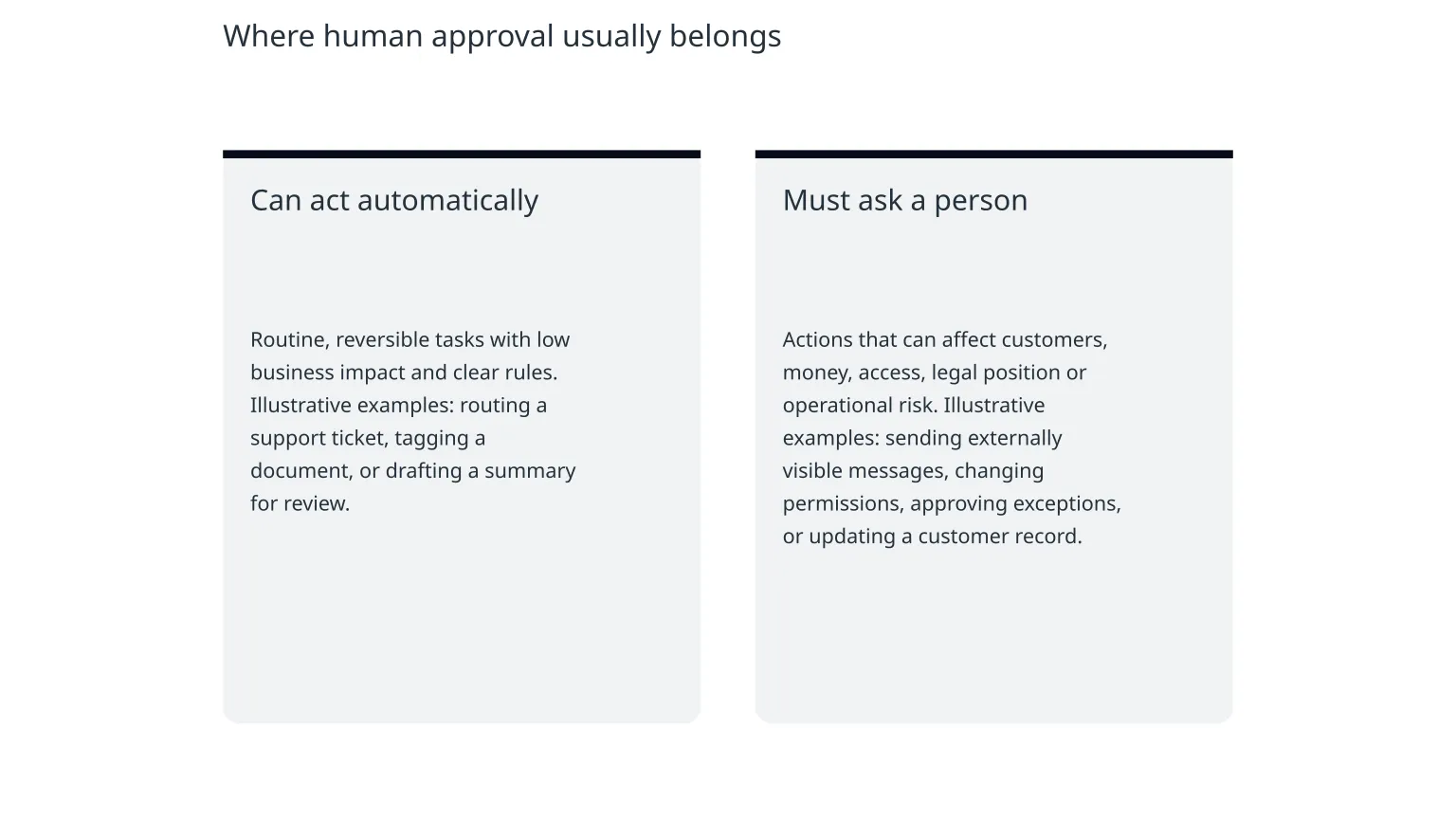
Can act automatically
Routine, reversible tasks with low business impact and clear rules. Illustrative examples: routing a support ticket, tagging a document, or drafting a summary for review.
Must ask a person
Actions that can affect customers, money, access, legal position or operational risk. Illustrative examples: sending externally visible messages, changing permissions, approving exceptions, or updating a customer record.
Why the line matters
The point is not to slow everything down. It is to keep automation in the parts of the workflow where speed is useful and error costs are manageable. When the model crosses into judgement-heavy or externally visible actions, your approval rule should do the work of a guardrail, not a vague warning label.
Illustrative example
Suppose an AI assistant drafts a customer response. Let it draft by default, but require a human check before anything goes out if the message contains a promise, a refund, a complaint admission, a policy exception or a reference to personal data. That keeps the workflow fast without letting the model commit the business to something it should not decide alone.
What should be re-tested after an update
- Any workflow where the model makes or recommends a consequential decision.
- Any action that sends messages, creates commitments or changes customer-facing records.
- Any flow that uses tools, APIs or database writes.
- Any route that relies on thresholds, confidence scores or policy classification.
- Any workflow with an exception path, because edge cases often change first.
Why these scenarios are worth checking
OpenAI’s release and deprecations pages show that model behaviour changes over time and that older models can be retired or replaced. That means your test suite should focus on the business moments most likely to break: approvals, escalations, refusal handling, routing, tool use and recovery when the model declines or hesitates.
A practical test set
Keep a small repeatable set of cases: a normal request, a borderline request, a request with missing data, a request that should be refused, and a request that must be escalated. Run those cases after a model update, prompt change or policy edit. If the result changes in a meaningful way, review the approval rules before wider release.
How to avoid false confidence
Common misuse risks
The biggest risk is expanding automation because the system looks reliable in a few happy-path examples. Another is leaving escalation too vague, so people assume someone else is reviewing the difficult cases. A third is failing to re-test after the model changes, which can make yesterday’s safe workflow quietly less safe today.
Simple safeguards
Use explicit approval states, not just free-text notes. Keep logs of the model version and the action taken. Show the human reviewer exactly what the model saw and why it is asking for approval. Make rollback possible. And if the workflow affects customers or money, give staff a clear way to stop the automation quickly if something looks wrong.
A small checklist for this week
0 of 6 complete
When specialist help is useful
If the workflow is already live, involves multiple tools or touches sensitive data, a short external review can help you map the real decision points and tighten the controls without adding unnecessary friction. That is most useful when your team wants clearer approval rules, better handoff logic or a safer release process for AI-powered features. Nixim works on AI assistants, workflow automation and human-in-the-loop systems, so this is a natural area for a scoped review or build conversation if you need one.
Closing thought
A Model Spec update is not a reason to panic. It is a reminder to make your AI rules concrete. If the model can act, say exactly when. If it must ask, say who. And if the underlying model changes, re-test the parts of the workflow where the business consequence is real.

About the author
Nixim Team, Product Engineering
Practical guidance from Nixim on building software, working with AI and running dependable cloud systems.