
What should you check about a supplier before you let it handle data or core processes?
A practical pre-buy checklist for founders, operations leads and business owners assessing software or cloud suppliers. It covers access, updates, incident response, backups and dependency transparency so you can reduce vendor risk before a tool becomes part of your stack.

On this page
Why it mattersThe checklistHow to read answersHidden riskUse the answersCommon mistakesWhere help fitsIn short
- Ask who can access your data, how that access is controlled, and how quickly it can be removed.
- Check how the supplier handles updates, patches and security fixes.
- Find out what happens if the supplier has an incident, outage or staff handover.
- Make backups, exports and recovery responsibilities explicit before you sign.
- Look for hidden dependencies: hosting, subcontractors, APIs and single points of failure.
Before a new tool, platform or outsourced build becomes part of your stack, you need a short way to assess the risk it introduces. The point is not to turn procurement into a security project. It is to ask a few practical questions that tell you whether the supplier can protect your data, keep operating, and help you recover if something goes wrong.
CISA’s SMB guidance is useful here because it treats supplier assessment as a pre-buy activity, not a specialist audit. It also highlights the risks that matter most to smaller businesses: visibility into suppliers, disruption in the supply chain, and single-source dependency. That makes it a good fit for business owners who need a simple decision tool, not a lengthy compliance exercise.
Why this check belongs before purchase
A supplier can be helpful and still add risk. The risk is not only cyberattacks. It can also be service disruption, weak access control, poor support, unclear ownership of backups, or a dependency you did not know existed until something broke.
CISA’s small-business guidance is clear that supplier assessment should look at the vendor’s security posture and the risk created by relying on external providers. It also flags supplier visibility, supply disruption and single-source risk as practical concerns for smaller organisations.
A simple pre-buy checklist
0 of 10 complete
What good answers sound like
Access
Good answers explain least-privilege access, audit logs, and how quickly access can be revoked. Vague answers say only that access is “restricted”.
Updates and fixes
Good answers describe a patching process, release cadence, and how urgent fixes are prioritised. Vague answers promise that security is “handled internally” without detail.
Incident response
Good answers name an escalation path, notification timing, and what customers should expect during an incident. Vague answers say the team will “act quickly” but do not explain how.
Backups and recovery
Good answers state what is backed up, how often restores are tested, and what the customer must do. Vague answers assume backup exists without showing recovery can actually happen.
Look for the dependency behind the product
A supplier often depends on other suppliers. That may include cloud infrastructure, identity providers, payment processors, analytics tools, messaging services, or subcontractors. None of this is automatically a problem, but it matters because your resilience can be weaker than it looks on the surface.
CISA’s supply-chain guidance emphasises dependency visibility and single-source risk because smaller businesses can be affected when one hidden dependency fails. If a supplier has no credible fallback for a critical dependency, your business may inherit that fragility.
- Ask which functions are built in-house and which rely on third parties.
- Ask whether any dependency is a single point of failure.
- Ask how service continuity is managed if a key provider changes or is unavailable.
- Ask whether there is a documented path for migration or exit if the service stops meeting your needs.
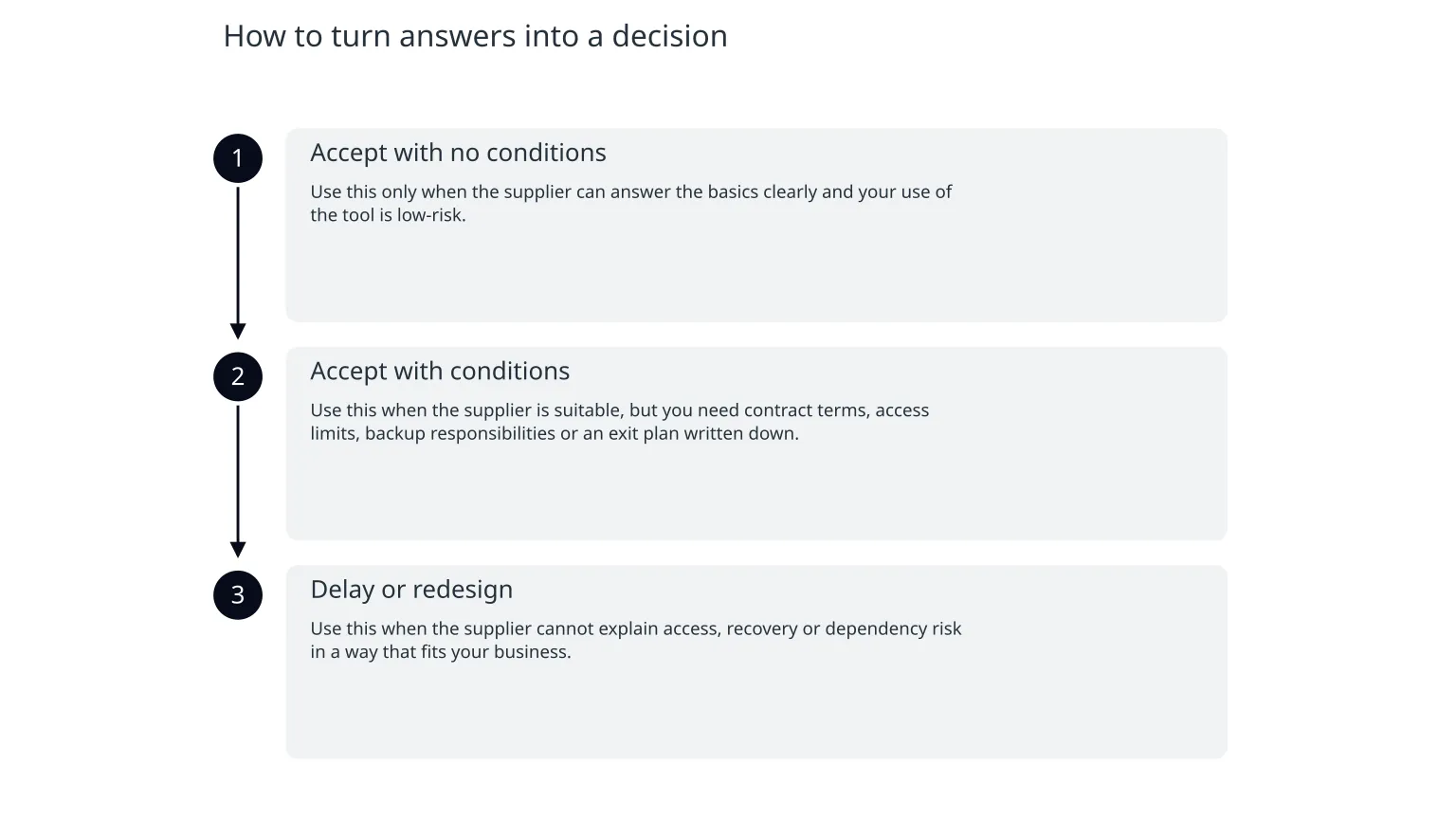
How to turn answers into a decision
- 1
Accept with no conditions
Use this only when the supplier can answer the basics clearly and your use of the tool is low-risk.
- 2
Accept with conditions
Use this when the supplier is suitable, but you need contract terms, access limits, backup responsibilities or an exit plan written down.
- 3
Delay or redesign
Use this when the supplier cannot explain access, recovery or dependency risk in a way that fits your business.
The useful question is not whether the supplier is “secure enough” in the abstract. It is whether the supplier is secure enough for the process you want to rely on. A CRM, customer portal, payment workflow or internal approval system may all need different levels of assurance.
Mistakes that make supplier checks less useful
| Mistake | Why it causes trouble |
|---|---|
| Asking only for a security policy | A policy may exist without proving how the service is run. |
| Stopping at a sales demo | A demo shows features, not recovery, access control or support practices. |
| Accepting vague reassurance | “We take security seriously” does not explain who can access data or how incidents are handled. |
| Ignoring exit and export | A service can be hard to leave even when it is no longer right for the business. |
| Forgetting internal responsibilities | If you do not define your own admin, backup or review duties, the supplier will not do them for you. |
When specialist help is useful
You do not need outside help for every supplier decision. But specialist support becomes useful when the tool will handle sensitive data, support a core workflow, or replace a process your team depends on every day.
That is especially true if you need to compare two or three vendors, write practical security questions into a statement of work, or check whether a proposed cloud setup has weak dependencies. In those cases, the value is often in making the decision clearer, not in adding bureaucracy.

About the author
Nixim Team, Product Engineering
Practical guidance from Nixim on building software, working with AI and running dependable cloud systems.