
What to consider before building a bespoke AI solution
A practical founder-focused guide to deciding whether to buy, adapt or build a bespoke AI solution. It puts cost, ownership, scope, speed and risk ahead of the technology itself, so you can choose the option that fits your business needs.

On this page
Why it mattersFirst checksBuy or buildOwnershipRiskScopeSpeedNext stepsIn short
- Start with the business problem, not the model.
- Choose bespoke AI only when the workflow is stable enough to automate.
- Ownership matters: code, data, accounts and handover should be clear.
- Bespoke AI adds flexibility, but also testing, maintenance and governance needs.
- A small pilot can reduce risk before a larger build.
Many founders want AI, but the real decision is not whether AI sounds useful. It is whether your problem is best solved by buying an existing tool, stitching together a workflow, or commissioning a custom build.
That choice affects cost, speed, ownership, risk and how easy the system will be to change later. UK adoption is rising, but the evidence suggests many businesses are still using AI in narrow ways and are held back by cost, use-case selection and limited skills. That makes the buying decision more important than the label on the solution.
This article is for non-technical founders and business owners who want a plain answer: what should you think through before you spend money on a bespoke AI solution?
Why the build decision matters more than the AI label
A bespoke AI solution can be the right choice, but it should be chosen for a business reason, not because AI is fashionable. If the problem is vague, changing quickly, or already solved well by an existing product, custom work may add cost without adding much value.
Recent UK research suggests adoption is increasing, but many businesses still use AI for narrow tasks such as research, summarising and drafting. The same research points to common barriers: identifying useful use cases, cost, and limited expertise or skills. In other words, most teams are not struggling because they lack AI. They are struggling because they have not yet chosen the right shape of solution.
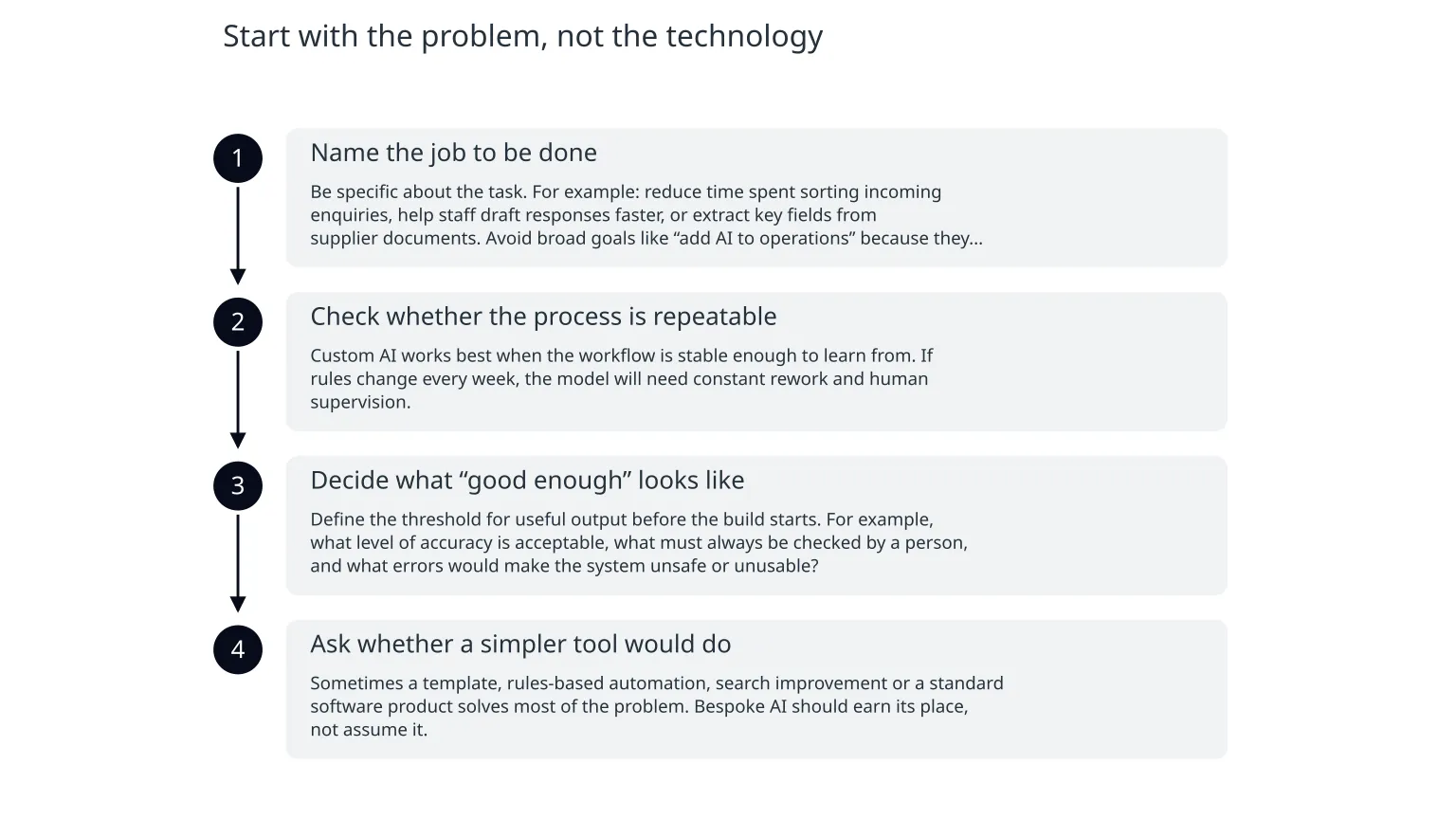
Start with the problem, not the technology
- 1
Name the job to be done
Be specific about the task. For example: reduce time spent sorting incoming enquiries, help staff draft responses faster, or extract key fields from supplier documents. Avoid broad goals like “add AI to operations” because they do not help you scope the work.
- 2
Check whether the process is repeatable
Custom AI works best when the workflow is stable enough to learn from. If rules change every week, the model will need constant rework and human supervision.
- 3
Decide what “good enough” looks like
Define the threshold for useful output before the build starts. For example, what level of accuracy is acceptable, what must always be checked by a person, and what errors would make the system unsafe or unusable?
- 4
Ask whether a simpler tool would do
Sometimes a template, rules-based automation, search improvement or a standard software product solves most of the problem. Bespoke AI should earn its place, not assume it.
Compare the three realistic options
Off-the-shelf tool
Fastest to start, usually lower upfront cost, and less technical ownership. Best when the process is common and the tool fits well enough. Trade-off: less flexibility, less control over the workflow, and possible vendor lock-in.
Bespoke build
Best when you need specific logic, deeper integration, stronger ownership or a workflow that is unique to your business. Trade-off: more scope to define, more testing, more maintenance, and more decisions to manage.
There is a middle path too: a lightweight workflow that combines existing tools, human approval and a small amount of custom logic. For many founders, this is the safest way to learn before committing to a larger build.
- Buy when the problem is standard, urgent and already solved well enough by a mature product.
- Adapt when you need some flexibility but do not yet know the best workflow.
- Build when ownership, integration or special handling matters more than speed of purchase.
Ownership is part of the product
A bespoke AI solution is not just the model or interface. It also includes the data, prompts or rules, integrations, cloud accounts, logs, documentation and the people who know how to operate it. If those pieces are unclear, the system may be hard to improve or hand over later.
0 of 5 complete
This matters because a cheap-looking build can become expensive if the hidden ownership costs are high. If only one person understands how the system works, future changes can be slow and risky.
Where bespoke AI can go wrong
The main risks are rarely dramatic. They are usually practical: the output is inconsistent, the process changes after launch, the data is poor, or people trust the system too much. A custom AI tool that appears helpful in a demo can still fail in day-to-day use if the guardrails are weak.
- Wrong inputs lead to wrong outputs, so data quality still matters.
- Automation can hide errors if nobody checks edge cases.
- If users do not trust the result, adoption will stall.
- If the workflow changes often, maintenance will overtake value.
- If the model or vendor changes, you need a fallback plan.
Scope small enough to learn, not so small that it proves nothing
A bespoke AI build should begin with one clear outcome. Not “improve operations”, but “reduce the time needed to triage incoming requests” or “help staff find the right answer from internal documents”. The outcome needs to be narrow enough to measure and broad enough to matter.
- 1
Choose one workflow
Pick a task with enough repetition to justify automation.
- 2
Define the human checkpoint
Decide exactly where a person reviews, corrects or approves the result.
- 3
Set a stop rule
Agree what evidence would mean the pilot should continue, change direction or stop.
- 4
Plan the second step
If the pilot works, identify what would need to change for production use.
This approach keeps the first release practical. It also helps avoid overbuilding features that nobody asked for.
Speed is useful, but only if it does not create rework
Many founders are attracted to AI because they want speed. That makes sense. But a fast start is only valuable if it does not create a larger rebuild later. A rushed solution can be hard to support, hard to explain and hard to extend.
Faster now
Useful when you need to test demand, reduce a manual bottleneck or learn how users respond.
Slower but safer
Useful when the workflow affects money, customer trust, or core operations and needs stronger controls.
The practical question is not whether to move quickly. It is whether the speed you gain today will cost you more later in maintenance, risk or rework.
What to do next
- Write the problem in one sentence and the outcome in one sentence.
- Decide whether a standard tool, lightweight workflow or bespoke build is the best fit.
- List the data, people and systems the solution will need.
- Identify where human review must remain in place.
- Define success criteria before spending on development.
If you do move forward, ask for a scoped plan that shows the expected workflow, ownership, handover and operating cost. That gives you a better basis for comparison than a vague promise that “AI will transform the business”.
The best AI investments usually start with a narrow business problem, clear ownership and a plan for human oversight. If those pieces are not in place, it is usually better to pause, simplify or buy something smaller first.

About the author
Nixim Team, Product Engineering
Practical guidance from Nixim on building software, working with AI and running dependable cloud systems.