
When should you put a queue between an app and a slow dependency?
A plain-English guide to when queues make sense, how they help with backpressure and retries, and what to watch for before you add one to your system.

On this page
Start hereWhy it helpsRetriesDuplicatesFailuresDecideSafeguardsNext stepIn short
- Use a queue when you need to absorb bursts, slow down producers or protect a fragile downstream dependency.
- Keep direct calls when the work is simple, low volume and you need immediate feedback.
- Plan for duplicates, retry limits and dead-letter handling before you ship.
- A queue is a design choice, not a default improvement.
A queue is often the difference between a system that degrades gracefully and one that fails in a chain reaction. If one service is slow, busy or temporarily unavailable, buffering work can protect the rest of the application. But queues are not free: they add moving parts, new failure modes and operational overhead. The real question is not whether queues are “good” or “bad”, but whether your problem needs decoupling, controlled retries and a safe place for failures to land.
What problem is the queue solving?
A queue sits between a producer and a consumer. Instead of making the producer wait for a downstream service to finish immediately, the producer writes work into the queue and returns. Another process takes that work later. AWS’s guidance on loosely coupled dependencies recommends this pattern when you want an intermediate durable storage layer and when you need to avoid one service’s failure or slowness spreading into others.
That does not mean every integration should be queued. If the downstream action is simple, low volume and genuinely needs an immediate answer, a direct call can still be the clearest design. Queues are most useful when the real problem is not the call itself, but what happens when the dependency becomes slow, busy or unreliable.
Backpressure in plain English
Backpressure is what happens when demand exceeds capacity. If your app keeps sending work to a dependency that cannot keep up, retries and timeouts can create a backlog. That backlog can grow into a chain reaction: more waiting, more retries, more pressure, and less useful work getting through. AWS explicitly warns against ignoring backpressure in loosely coupled systems.
A queue helps by slowing the flow in a controlled way. Producers can keep accepting work, while consumers process at a rate the downstream system can handle. This is particularly useful for bursty traffic, batch-like jobs, background processing and anything that can tolerate delay.
- It can absorb short spikes without forcing every request to wait.
- It can protect a fragile dependency from being overwhelmed.
- It can give you a place to inspect, delay or reprocess failed work.
- It can make scaling more predictable because producers and consumers are separated.
Why retries can make things worse if you are not careful
Retries sound harmless, but they can amplify a problem. If a dependency is already struggling, retrying immediately can increase load at exactly the wrong time. In AWS Lambda asynchronous invocation, retries happen automatically, and AWS documents that asynchronous invocations are retried twice by default when the function returns an error. That is helpful when the failure is temporary. It is unhelpful when the job is malformed, the downstream service is unavailable for a while, or the request is destined to fail every time.
This is why retry control matters. A queue lets you separate the idea of “try again later” from “keep hammering the dependency right now”. You can decide how many attempts make sense, how long to wait between attempts, and when to stop retrying altogether.
What about duplicate processing?
Once you introduce a queue, you need to plan for duplicate messages. In practice, most distributed systems treat “exactly once” as hard to guarantee end to end. Messages can be delivered more than once, especially when consumers fail mid-process or visibility windows expire. Amazon SQS uses a visibility timeout so that a message is hidden from other consumers while one consumer is processing it. That reduces accidental double work during the in-flight period, but it is not a magic guarantee for the whole workflow.
The safe approach is to design your consumer to be idempotent where possible. In plain English, that means processing the same message twice should not create two orders, two payments or two emails if only one was intended.
0 of 4 complete
Why dead-letter queues matter
Some messages should not be retried forever. A bad payload, broken mapping or unsupported edge case can keep failing no matter how many times you try. AWS recommends dead-letter queues and alarms on DLQ volume so repeated failures are visible and do not create an insurmountable backlog. SQS can move a message to a dead-letter queue after its receive count exceeds the configured maximum.
A dead-letter queue does not fix the original issue, but it stops one poison message from blocking the flow behind it. It also gives your team a controlled place to inspect failures, correct the cause and replay only the messages that should really be retried.
When to queue, and when to keep it simple
Use a queue when...
You need to buffer bursts, slow down producers, protect a dependency, retry work later, or isolate failures so one problem does not cascade.
Keep a direct call when...
The action is small, immediate and low risk, the dependency is reliable, and the user experience depends on getting an answer right away.
For small businesses, the mistake is often adding a queue too early because it sounds more robust. Sometimes it is. Sometimes it just adds complexity, monitoring and debugging overhead before the business needs it. AWS’s own guidance points to loose coupling and buffering when the workload or failure mode justifies it, not as a blanket rule.
A sensible next step is to map one specific flow: what enters, what depends on what, how long the downstream action can take, what happens on failure, and what the user sees during delay. If the answer includes bursts, timeouts, repeated retries or a need to review failures later, a queue is worth considering.
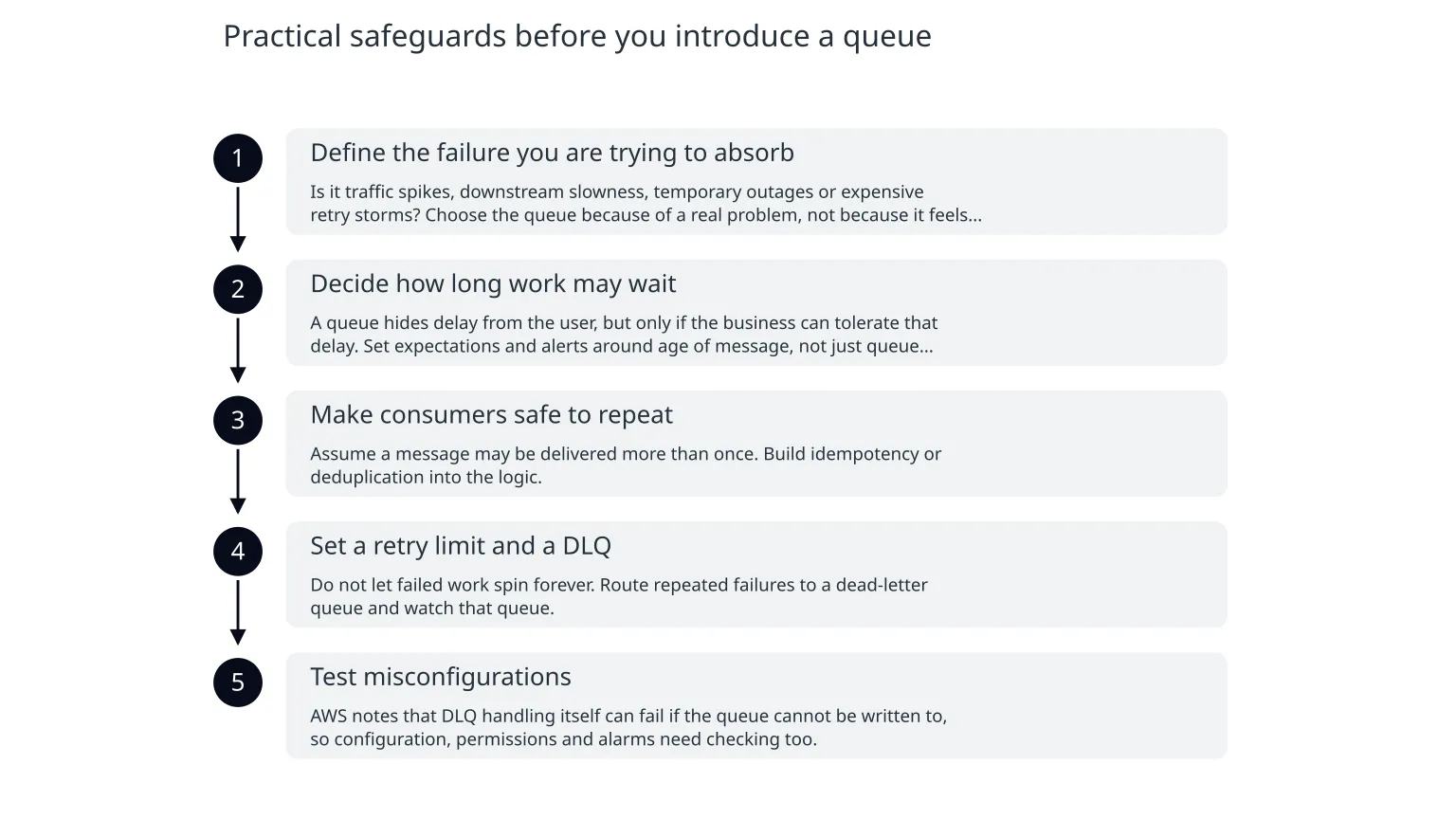
Practical safeguards before you introduce a queue
- 1
Define the failure you are trying to absorb
Is it traffic spikes, downstream slowness, temporary outages or expensive retry storms? Choose the queue because of a real problem, not because it feels architectural.
- 2
Decide how long work may wait
A queue hides delay from the user, but only if the business can tolerate that delay. Set expectations and alerts around age of message, not just queue length.
- 3
Make consumers safe to repeat
Assume a message may be delivered more than once. Build idempotency or deduplication into the logic.
- 4
Set a retry limit and a DLQ
Do not let failed work spin forever. Route repeated failures to a dead-letter queue and watch that queue.
- 5
Test misconfigurations
AWS notes that DLQ handling itself can fail if the queue cannot be written to, so configuration, permissions and alarms need checking too.
These safeguards are not just technical hygiene. They are what turn a queue from “a thing that holds messages” into a controlled part of the system’s behaviour.
A simple rule of thumb
- If immediate response matters and the dependency is reliable, keep the direct call.
- If delay is acceptable and resilience matters more, queue the work.
- If you add a queue, plan for retries, duplicates and a dead-letter path from day one.
- If you are unsure, start with one workflow and measure how often it actually needs buffering.
If you want help deciding where a queue fits in your cloud architecture, the useful starting point is not a technology choice but a workflow review. Map the dependency, the failure mode and the business impact first. Then decide whether buffering is solving a real problem or just moving complexity around.

About the author
Nixim Team, Product Engineering
Practical guidance from Nixim on building software, working with AI and running dependable cloud systems.