
Where should AI workflows stop and ask a person?
A practical framework for deciding where an AI workflow should pause for human approval, when it can act on its own, and what logs and fallback paths should exist before launch.

On this page
Why it mattersDecision ruleWhere to stopDesign controlsHow to use logsTrade-offsNext stepsWhen to get helpIn short
- Use risk and reversibility to decide where approval belongs.
- Let low-risk, reversible actions happen automatically when confidence is high.
- Pause for review when money, customer trust or external messages are involved.
- Log the prompt, decision, confidence and approver so actions are traceable.
- Design fallbacks and escalation paths before launch, not after an error.
As AI systems become more capable, the important question is less “can it do this?” and more “should it do this without asking?” Recent policy updates from OpenAI and Anthropic point in the same direction: as models take on more consequential actions, teams need clearer oversight, better handling of uncertainty, and stronger human agency.
That makes human approval a product decision, not a last-minute safety patch. The right answer depends on the action, the risk, the reversibility and the quality of the evidence available to the system. This guide gives a simple way to decide where an AI workflow should stop, ask a person, and leave an audit trail before it acts.
Why this decision matters now
The newer policy guidance from OpenAI and Anthropic is not a call to slow everything down. It is a reminder that as systems become more capable, teams need clearer rules about human intent, oversight and acceptable side effects. In business terms, that means approval gates should be designed around the real world: customer impact, financial impact, legal exposure, reputational risk and the ease of undoing a mistake.
- A wrong draft email is annoying; a wrong refund may be expensive but reversible.
- A wrong stock action may affect operations immediately.
- A wrong message to a customer can damage trust even if the technical error is small.
- A wrong approval in a finance or workflow system may be hard to unwind once it is sent externally.
A simple approval rule you can use
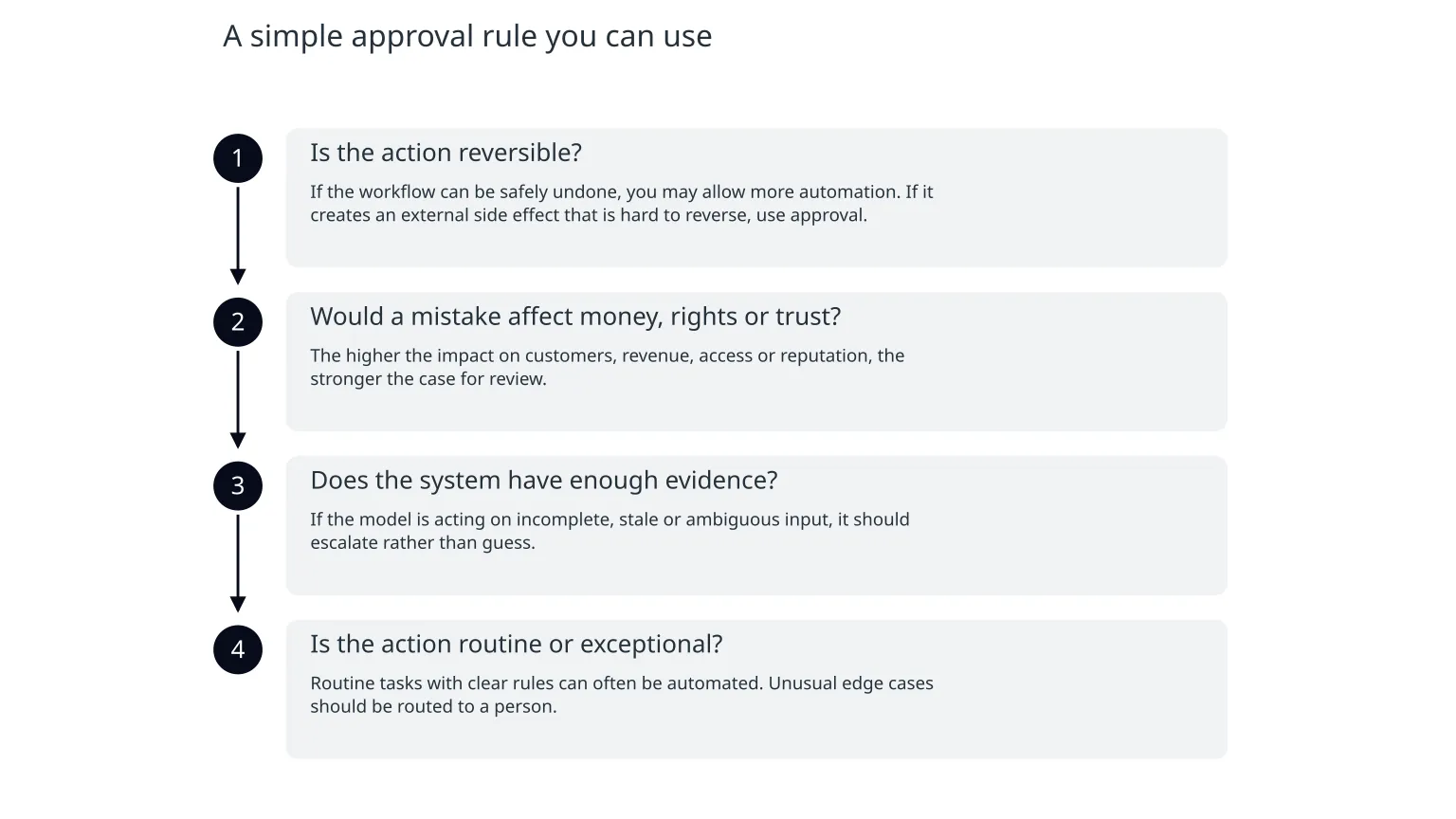
A practical way to place the approval gate is to test four questions. If any answer is uncomfortable, stop and ask a person.
- 1
Is the action reversible?
If the workflow can be safely undone, you may allow more automation. If it creates an external side effect that is hard to reverse, use approval.
- 2
Would a mistake affect money, rights or trust?
The higher the impact on customers, revenue, access or reputation, the stronger the case for review.
- 3
Does the system have enough evidence?
If the model is acting on incomplete, stale or ambiguous input, it should escalate rather than guess.
- 4
Is the action routine or exceptional?
Routine tasks with clear rules can often be automated. Unusual edge cases should be routed to a person.
What should usually stay behind a human gate
Usually safe to automate first
Sorting, tagging, summarising internal content, preparing drafts, routing low-risk tickets, and suggesting next steps where a person still confirms the result.
Usually better to pause for approval
Sending external customer messages, changing customer records, issuing refunds, triggering payments, changing account permissions, deleting data, and taking irreversible operational actions.
This is not a fixed list. The same action can be low-risk in one business and high-risk in another. For example, an internal reminder may be harmless, but the same workflow sending a contract clause to a customer may need review because the language has legal and commercial consequences.
Low risk
Internal only, easy to correct, no external side effect.Medium risk
Visible outside the team, but still reversible or easy to amend.High risk
Money, access, customer trust or regulated decisions involved.Very high risk
Hard to reverse, ambiguous evidence, or one mistake can cascade.What to build before launch
The safest workflow is not just “AI plus a checkbox”. It has clear decision points, an audit trail and a fallback path. OpenAI’s latest model-spec guidance highlights context, oversight and human agency as models handle more consequential actions. That logic should be visible in the product design, not only in policy documents.
0 of 7 complete
Logs are part of the control, not a reporting extra
If you cannot explain why an AI workflow acted, it is hard to trust, improve or investigate. Logs should help you answer a simple question later: what did the system know, what did it decide, and who approved it?
| What to record | Why it matters | When to keep it |
|---|---|---|
| Input or request context | Shows what the system was asked to do | For every decision that can affect a customer or business process |
| Model output and confidence or evidence | Helps reviewers see whether the system was guessing | Whenever the model is allowed to propose or act |
| Human approver and timestamp | Creates accountability and reviewability | For all gated actions |
| Fallback path taken | Shows whether the system deferred safely | When the workflow stops, retries or escalates |
| Version of prompt, rules or model | Helps explain changes in behaviour over time | For any workflow that may change after launch |
The downside of too much or too little approval
Too little approval
You may ship faster, but errors can escape into customer-facing processes. That creates rework, support burden and sometimes irreversible mistakes.
Too much approval
You may reduce risk, but the workflow can become slow, expensive and unpopular. People start bypassing it or doing the task manually from the start.
The goal is not to block automation. It is to place approval where it protects the business without turning the workflow into a bottleneck. That usually means keeping the fast path for routine, low-risk actions and reserving the human step for exceptions, sensitive cases and anything hard to undo.
A practical way to start this week
- 1
Map the process
List every step from input to final action, including any external effect.
- 2
Score the risk
Mark each step by reversibility, customer impact and evidence quality.
- 3
Choose the gate
Decide where the workflow can act alone and where it must ask.
- 4
Design the fallback
Make sure uncertain or unusual cases can pause safely and reach a person.
- 5
Test the exception path
Run a few realistic failure scenarios before launch, including missing data, low confidence and wrong output.
When specialist help is useful
If your workflow touches customers, payments, permissions, regulated content or operational systems, it is worth checking the approval design before launch. A useful review should cover the action map, the exception flow, the logs and the ownership of any manual handoff. That is especially important when the workflow will continue to change after the first release.

About the author
Nixim Team, Product Engineering
Practical guidance from Nixim on building software, working with AI and running dependable cloud systems.